Notion Is a Great Workspace.
It's Not a Great PM Tool.
Notion can do almost anything, but “almost anything” means configuring databases, relations, and rollups before you can track a single task. Thicket is purpose-built for project management. Tasks, docs, messages, chat, and scheduling are ready to go in minutes.
$49/month flat. Unlimited users. No per-seat fees.
Free plan. No card required. Includes a 30-day Pro trial.
Notion Can Build Anything. That's the Problem.
Notion is a brilliant tool for documentation, wikis, and knowledge bases. But when teams try to use it for project management, they hit the same walls.
Everything Your Team Needs. Zero Configuration.
One workspace with tasks, docs, messages, files, schedule, and activity. No databases to design. No templates to hunt for. Your team can start using it today.
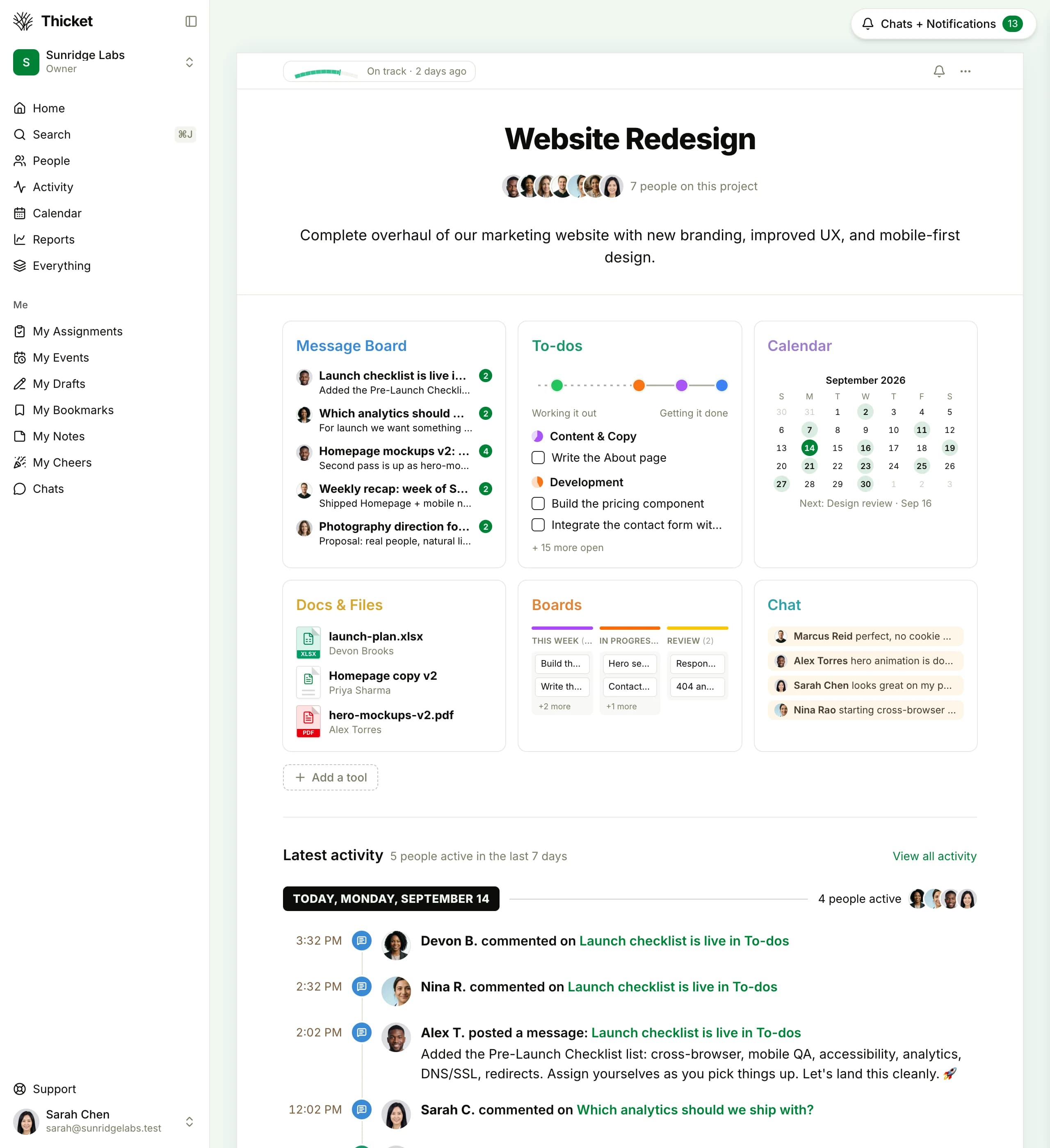
A single project view in Thicket, with tasks, docs, messages, schedule, and files in one place.
Thicket vs. Notion, feature by feature
Thicket is built for project management: tasks, deadlines, team messaging, and scheduling, ready to use.
| Feature | Thicket | Notion | Notes |
|---|---|---|---|
| Task management | Thicket: built-in. Notion: requires database setup | ||
| Project organization | Notion uses pages/databases; Thicket has dedicated project structure | ||
| Team messaging | Notion has comments but no project message boards | ||
| Group chat & DMs | Notion has comments, not chat | ||
| Automatic check-ins | Recurring prompts that collect team answers | ||
| Schedule & calendar view | Both offer calendar views for tasks | ||
| File sharing | |||
| Client/guest access | Free in Thicket, extra seats in Notion | ||
| Flat pricing (no per-user fees) | |||
| Setup in under 10 minutes | Notion requires template selection and database configuration | ||
| Public page sharing | Thicket shares docs, messages, and files via public links |
Projects, Not Pages
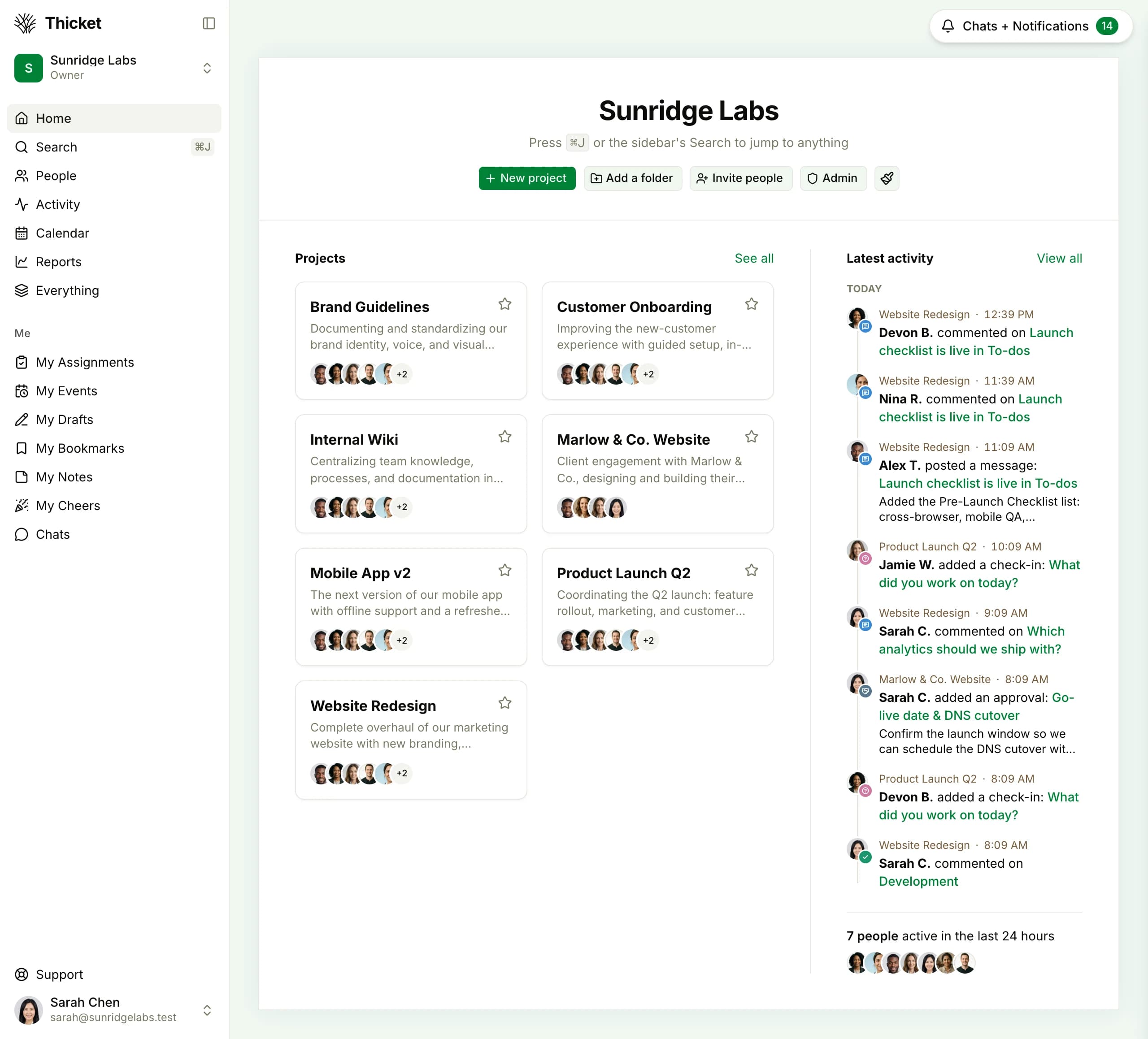
In Notion, a “project” is a database row you configure yourself. In Thicket, a project is a real workspace with tasks, docs, messages, files, and a schedule, ready to use the moment you create it.
- Create a project and start working in seconds
- No database properties, relations, or rollups to configure
- See all projects in a clean grid with status and team
Notion's Per-Seat Pricing Adds Up Fast
Notion charges $12/user/month (Plus) or $24/user/month (Business). Thicket is $49/month flat. Add as many people as you need.
| Team Size | Thicket Pro | Notion Plus$12/user/mo | Notion Business$24/user/mo | You Savevs Plus |
|---|---|---|---|---|
| 5 users | $49/mo | $60/mo | $120/mo | $11/mo |
| 10 users | $49/mo | $120/mo | $240/mo | $71/mo |
| 20 users | $49/mo | $240/mo | $480/mo | $191/mo |
| 50 users | $49/mo | $600/mo | $1200/mo | $551/mo |
$191/mo
saved vs Notion Plus at 20 users
$431/mo
saved vs Notion Business at 20 users
$551/mo
saved vs Notion Plus at 50 users
Notion prices are monthly billing rates as of August 2026 (Plus $12/seat, Business $24/seat); annual billing is lower for both. Thicket Pro is $49/mo regardless of billing cycle.
Tasks That Work Out of the Box
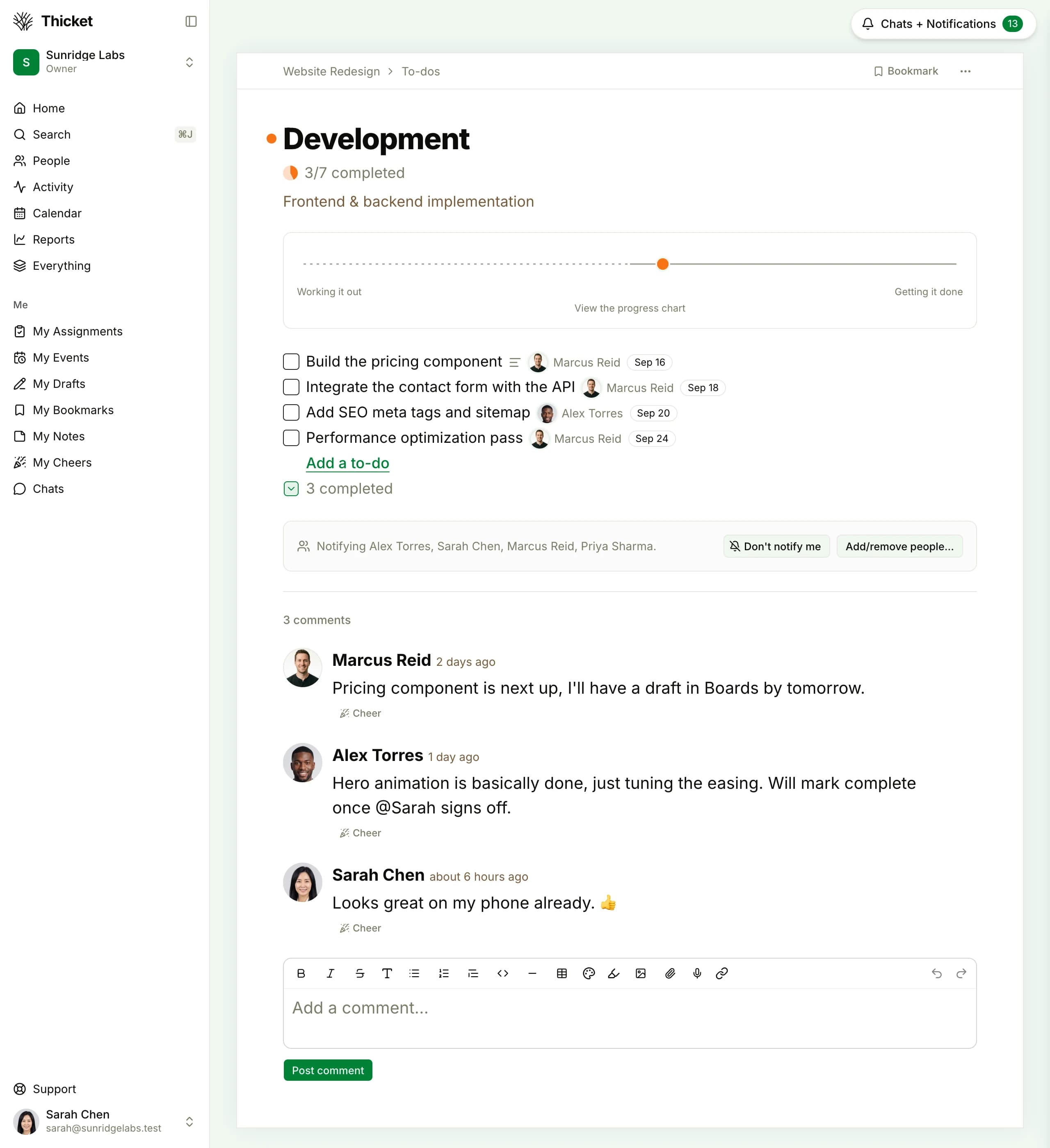
In Notion, you build a task database. In Thicket, you create a task. Assign it, set a due date, add a description, and you're done. No properties to configure, no views to set up, no formulas to write.
- Assign tasks to team members instantly
- Due dates, assignees, and progress tracking built in
- No database configuration required
Why Teams Move Their PM Out of Notion
Notion is great for many things. Project management isn't one of them. Here's where it breaks down.
Stop building project management in Notion
Start with the free plan or jump straight to Pro. Your team will be managing projects by the end of the day, not configuring databases.
Free plan. No card required. Includes a 30-day Pro trial.
$49/month flat, unlimited users, no per-seat fees
30-day free trial of Pro, no credit card required
Tasks, docs, messages, chat, and scheduling included
Set up your workspace in under 10 minutes
Common Questions About Switching
Is Thicket a full replacement for Notion?
If you use Notion for project management (tasks, deadlines, team coordination), yes: Thicket replaces it with a simpler, purpose-built tool.
How much does Thicket cost compared to Notion?
Thicket Pro is $49/month flat for unlimited users. Notion charges $12/user/month on Plus or $24/user/month on Business. A 10-person team on Notion Plus costs $120/month. On Thicket, it's $49/month. A 20-person team on Notion Plus costs $240/month. On Thicket, still $49/month. The gap widens with every person you add.
Does Thicket have a free plan?
Yes. The Free plan includes 1 project, 20 people (clients included), and 1GB storage. No credit card required. The Pro plan at $49/month gives you unlimited everything with a 30-day free trial.
Does Thicket have docs like Notion?
Yes, for project work. Every Thicket project has documents for specs, notes, and briefs, the kind of docs you reference while doing the work, kept beside the project's tasks and messages.
Can I invite clients or contractors without extra cost?
Yes. Thicket Pro includes unlimited users, with team members, clients, and contractors all included. No guest fees, no per-seat charges. On Notion, every person you add is another $12–$24/month.
Why would I use Thicket instead of Notion's project management features?
Notion's project features are built on top of its database system, which is powerful but complex. You need to configure views, relations, rollups, and formulas to get a basic project tracker working. Thicket gives you tasks, assignments, due dates, group chat, and team messaging out of the box. No configuration, no database design, no template hunting.
Does Thicket have automatic check-ins?
Yes. Check-ins ask your team a recurring question, like 'What did you work on today?', and collect everyone's answers in one thread. There's nothing to configure beyond the question and the schedule. In Notion, you'd have to build a custom database for status updates and rely on people remembering to fill it in.
Can I share Thicket items publicly like Notion pages?
Yes, for individual items. Thicket supports public share links: turn on a public link for a doc, message, or file and anyone with the URL can view it, no account required.
Project management shouldn't require a database degree
Free plan available. Pro is $49/mo flat with unlimited users. No credit card needed to start.