Product updates

What's new in Thicket

Meaningful improvements that help small teams plan work, collaborate with clients, and keep projects moving.

Product updates

September 2026

An owner or admin can now add an AI agent under Admin, AI agents: name it, choose who may direct it, and mint its token. People @mention it, assign it work, and cheer what it does, like any teammate, and it replies under its own name with an Agent tag. It holds no seat and never signs in. It reads its own inbox through the API and acts only on mentions and assignments from the people you chose. The CLI ships the watcher, so a coding agent on your machine can pick up a mention and reply on the same card.

  • Admin, AI agents: create, name, choose operators, mint or rotate the token
  • Mention, assign, and cheer an agent like any teammate; it never takes a seat
  • The inbox API and stream tell the agent what is addressed to it, and by whom
  • thicket agent watch: a local connector that connects out, never in

August 2026

The MCP connector now handles the request teams most often hand an AI assistant: cleaning up a backlog. A connected app can create to-do lists, move to-dos between lists, and sort a whole list in one step, with the order in Thicket reflecting the priority you asked for. It can read assignees, due dates, and notes across a project at once, answer what is overdue or assigned to a teammate, and send junk to-dos to the Trash, recoverable for 30 days, instead of marking them done.

  • Ask a connected app to sort a to-do list by priority and it happens in one step
  • New tools create lists, move and reorder to-dos, and send junk to the Trash
  • Project reviews read assignees, due dates, and notes without opening items one at a time

Thicket now runs a remote MCP connector. MCP is an open standard that ChatGPT and other compatible AI apps can use to connect to outside products. An approved app can read and update to-dos, post messages, move board cards, follow the schedule, and search. The browser consent screen shows whether it requested read-only or read-and-write access, every change appears under your name, and disconnecting it from My settings stops access on the next request. Included on every plan.

  • One URL to connect: https://www.thickethq.com/api/mcp
  • Verified end to end with ChatGPT and Claude Code
  • Works with your account permissions; read-only connections available
  • Disconnect from My settings, under Connected apps

Teachers and students now get every Thicket Pro feature free for classroom work, and registered 501(c)(3) and CRA charities get 10% off any plan, forever. Apply from the new discounts page; a person verifies every application and the discount goes straight onto your account.

Starter gives growing teams every Thicket tool across three active projects for $25/month, with up to 20 teammates and clients. Larger teams can use Pro for unlimited projects and people, while Free remains available for one active project. Annual billing is available for both paid plans.

July 2026

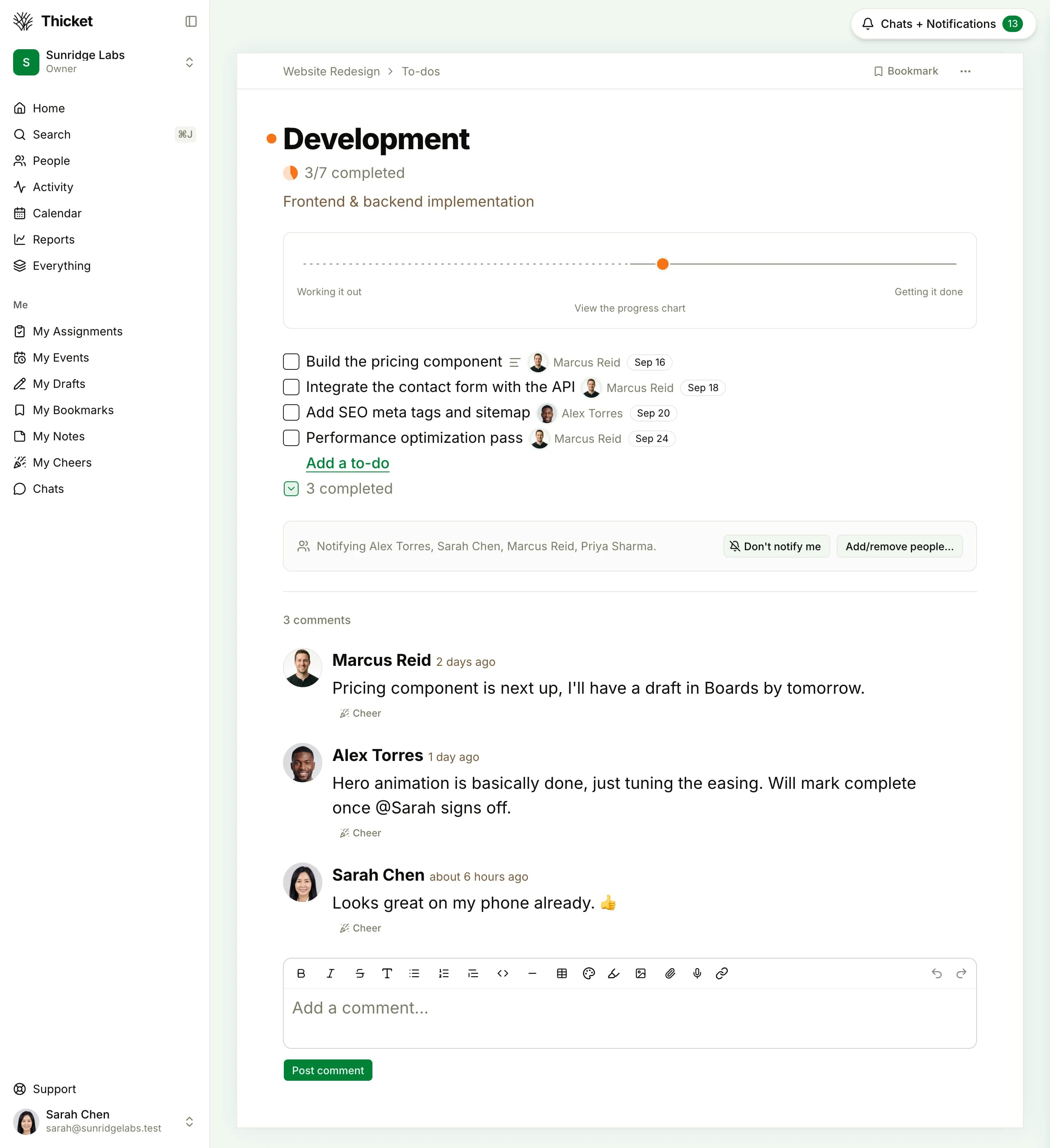
A populated Thicket to-do list showing assignments, dates, progress, and comments
To-do lists keep progress, assignments, and discussion in the same project.

Break work into smaller pieces, repeat it on a schedule, and reuse complete project setups. Each subtask can have its own assignees and due date. When recurring work is completed, Thicket creates the next occurrence with its assignments, notes, and unfinished subtasks. Project templates carry the structure into the next client engagement and shift dates to the new timeline.

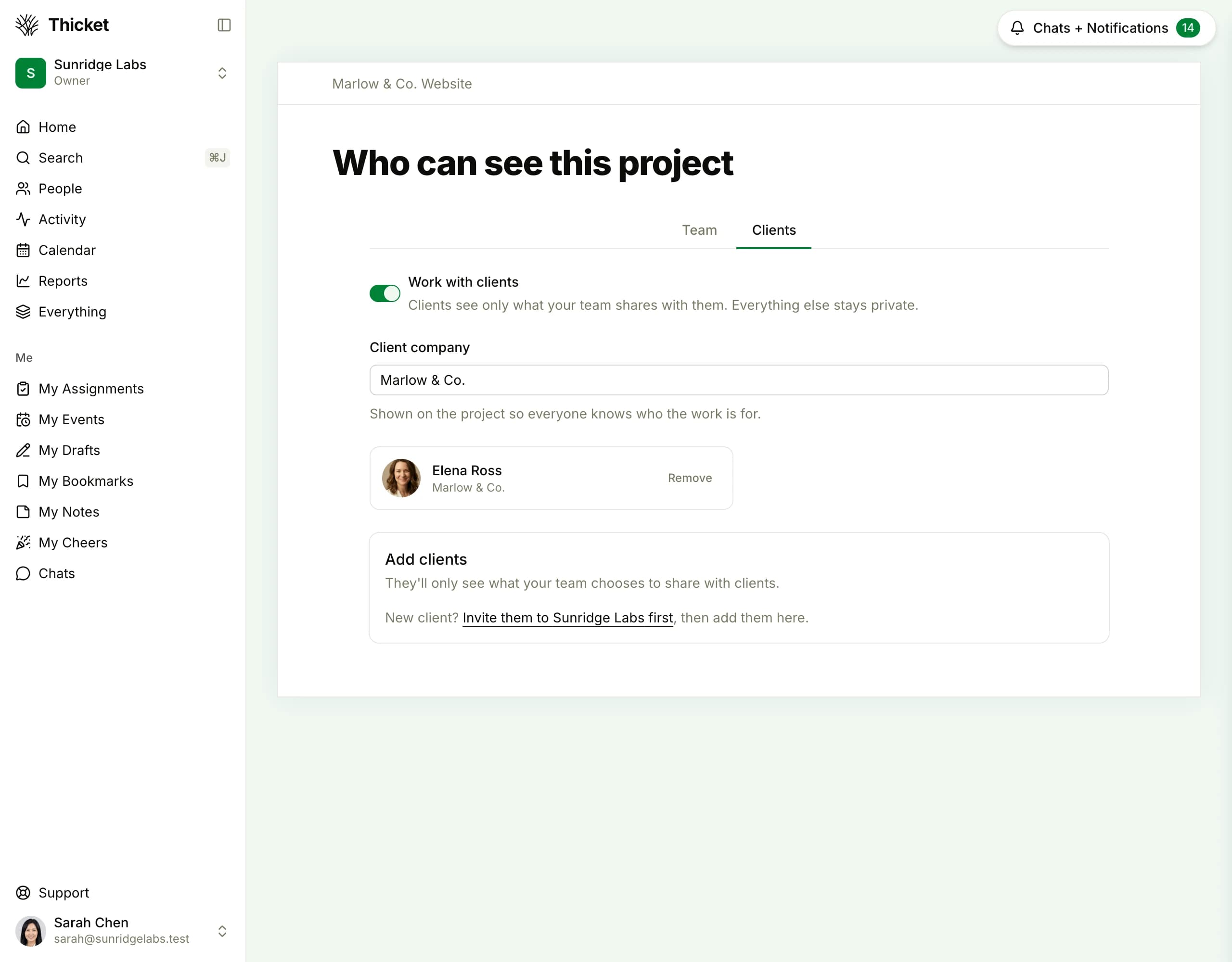
Thicket project access controls showing a client and the project visibility settings
Clients see only the projects and work the team chooses to share.
Team management

Choose exactly which projects each person can see, invite them into the right work from the start, and switch between team and client roles with a clear preview. When someone leaves, their contributions stay attributed. Duplicate accounts can also be merged without losing project history.

June 2026

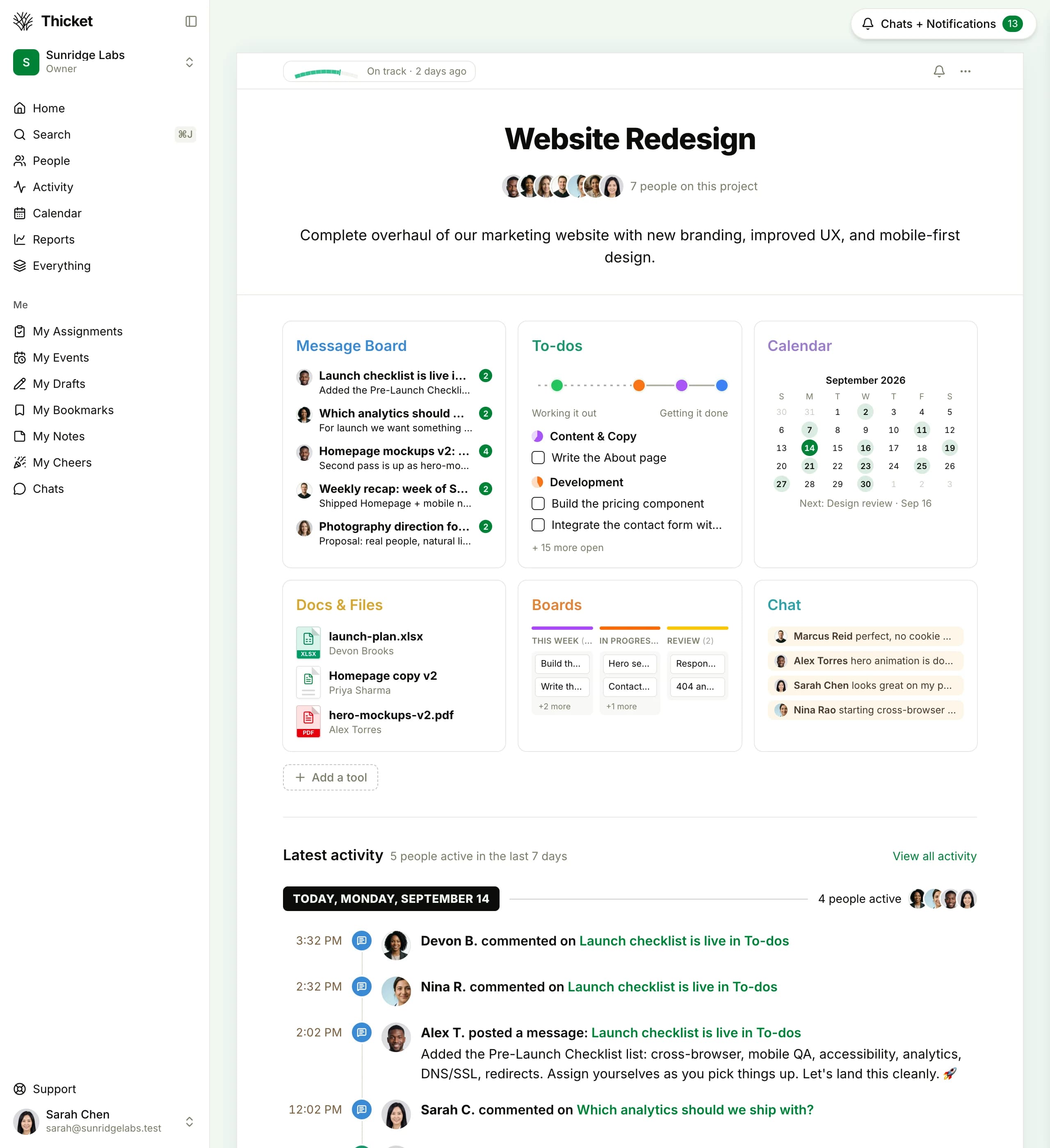
A populated Thicket project overview showing messages, to-dos, docs, calendar, Boards, and chat
A populated project keeps the six everyday tools visible in one place.
Launch

Thicket brings messages, to-dos, docs and files, schedules, Boards, and chat into one project space. Client access, approvals, automatic check-ins, project health, secure sharing, two-factor authentication, and account export support that core. It is built for small teams that want the plan, discussion, files, and deadlines together without configuring an enterprise system.

  • Six tools ready in every project
  • Client visibility controls and recorded approvals
  • Automatic check-ins and project health
  • Two-factor authentication, public share links, and JSON account export

Put your next project in one calm place

Try every Thicket tool with your team and clients. The Free plan needs no credit card, and every organization created on the web includes a 30-day Pro trial.