Project management software
Get work organized. Keep everyone on the same page.
Keep to-dos, messages, and files in one place for your team and clients.
Paid plans from US$25/month. No per-user fees.
Free plan. No card required. Includes a 30-day Pro trial.
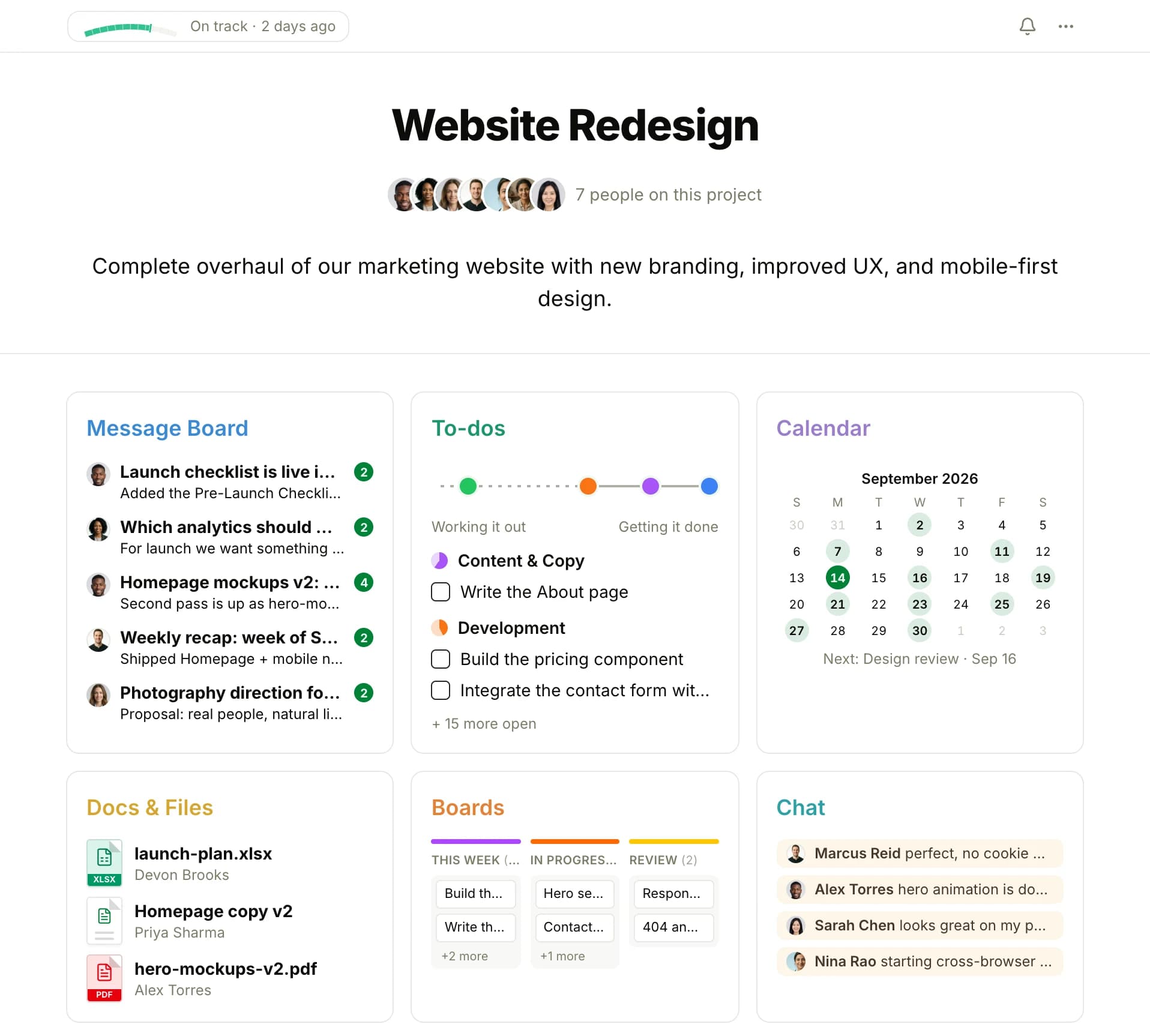
- See who is doing what, by when
- Project health flags show which projects need attention
- Clients see only what you choose to share
- People in agencies, education, nonprofits, community organizations, energy, and esports have created Thicket workspaces. Explore use cases
- Independently owned. Built by Vesperion Gate, a profitable company funded by its products. About the company
- Runs the company that builds it. Vesperion Gate keeps its product work, marketing, and company plans in Thicket.
Now available for iPhone and iPad
Stay on top of work on the go.
Check what needs attention, reply to a message, and finish a to-do from your iPhone or iPad. Your work stays together with the people doing it.
Push notifications bring you back to the work that needs you. Choose what you hear about and set quiet hours when you need a break.

Free to download. Sign in with your existing Thicket account.
See where you can use Thicket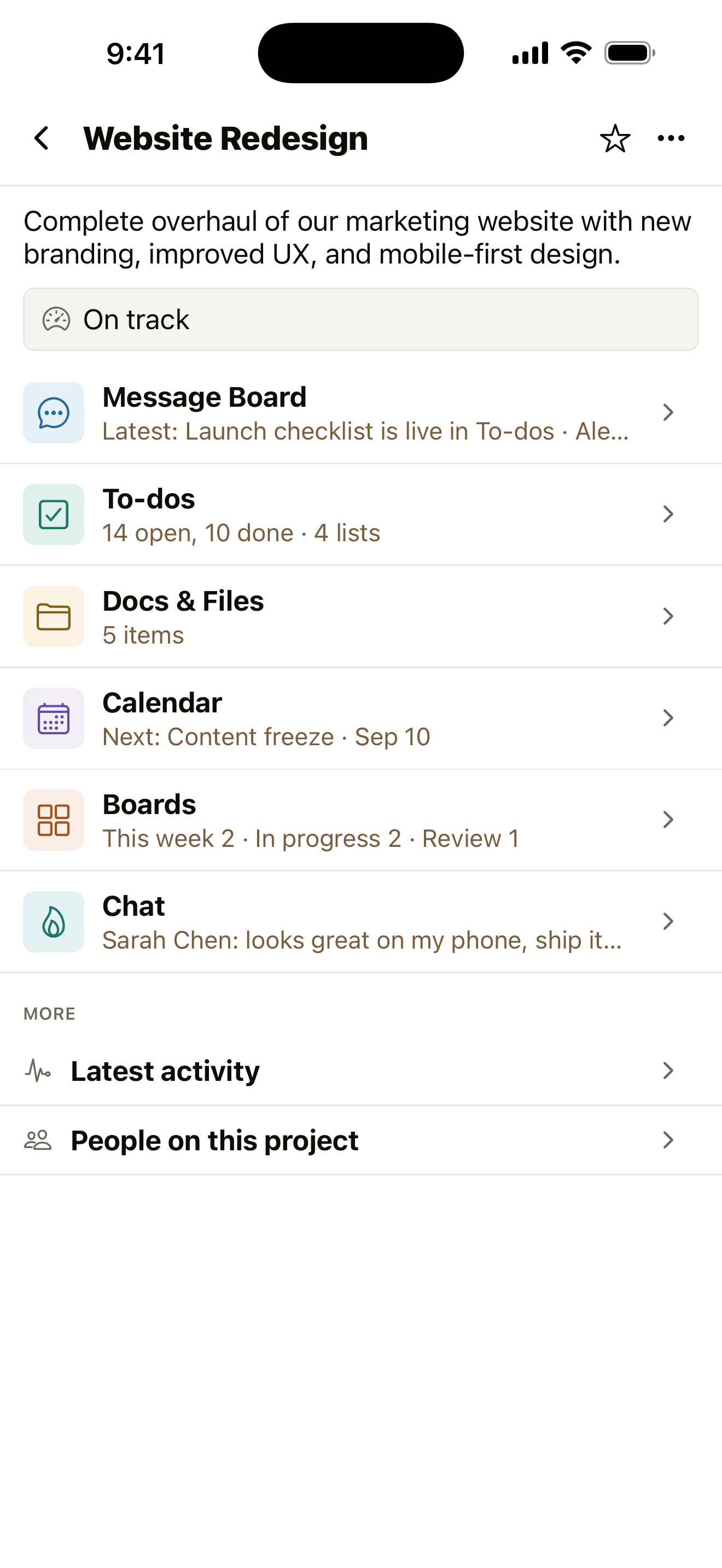
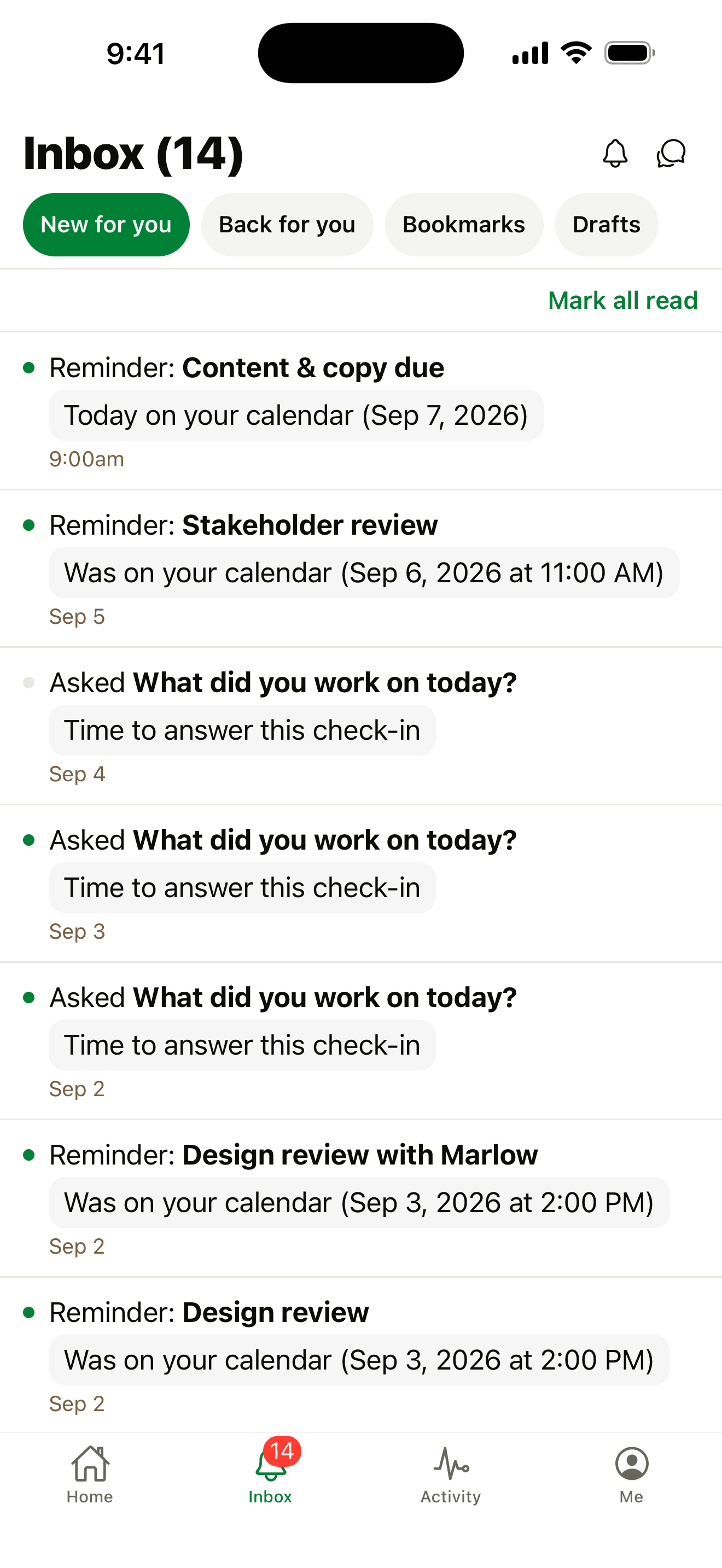
Know what needs doing. Keep work on track.
Organize a client job, plan a launch, or manage recurring work. Give the people involved one place to work together.
Before Thicket
- To-dos are in a notebook, decisions in email, and files in another app.
- You have to ask around to find out what is done and what still needs attention.
- It is unclear who is responsible or when the work is due.
- A colleague or client needs an update, and you have to piece it together.
After Thicket
- Each project keeps its tasks, discussions, docs, files, and schedule together.
- People in the project can check completed to-dos and recent updates.
- Assign to-dos and due dates so responsibilities are written down.
- Share work with clients and keep their feedback and approvals alongside it.
Six tools, together in every project
Messages, to-dos, docs, schedules, boards, and chat are ready from the start, without stitching together separate apps.
- Automatic check-ins that ask recurring questions and collect every answer in one thread
- Client access with approvals, scoped to exactly what you choose to share
- Progress charts and health flags: On track, At risk, Off track
- Timesheets: hours logged on to-dos and events, a weekly grid, and a CSV report
- Search, notifications, @-mentions, and project templates
- API and CLI for your own AI agents
What each screen shows
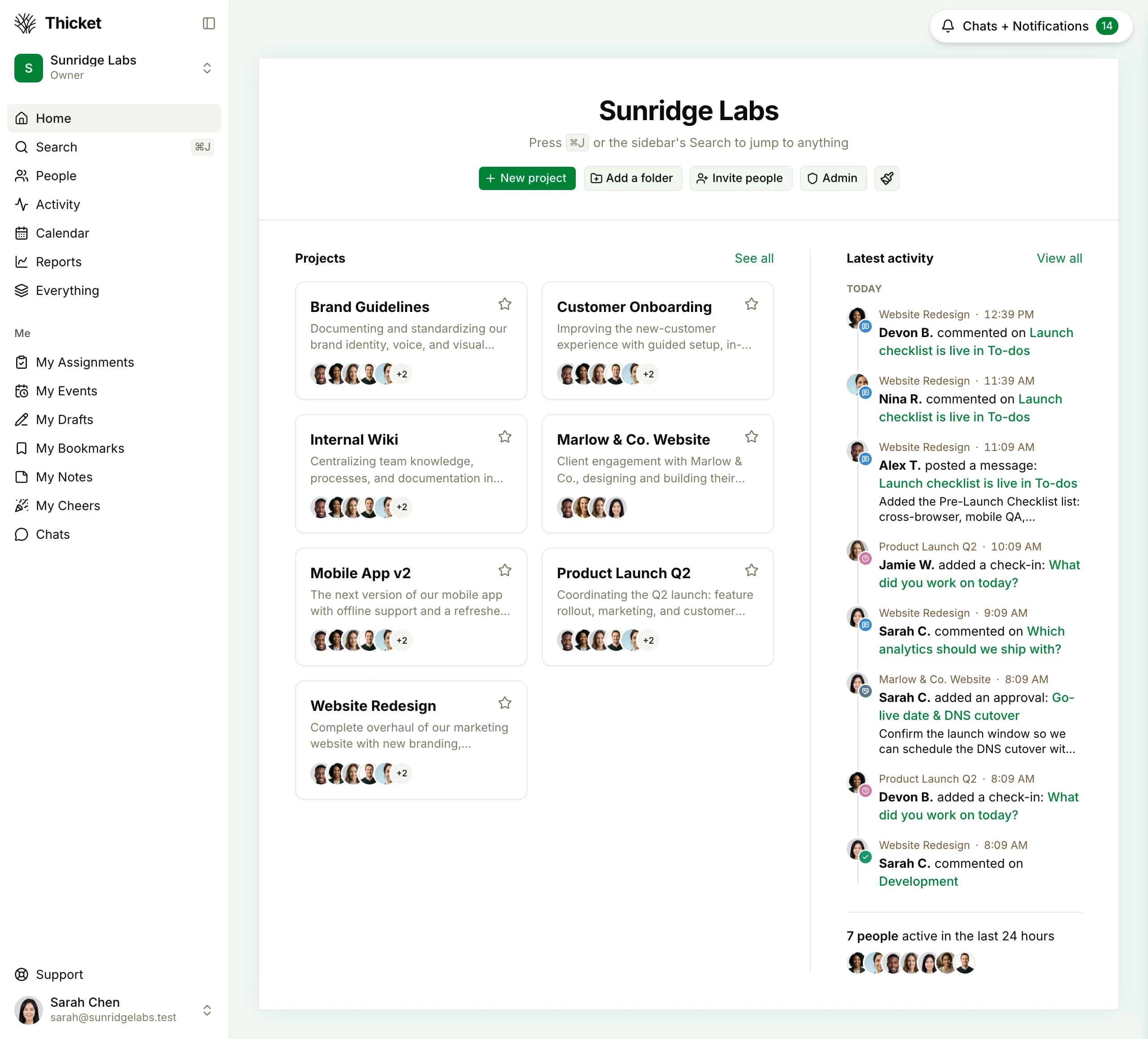
These are Thicket screens from a populated project.
What's happening across all our projects?
Home shows every project with its people and latest activity, so you check one screen instead of five apps.
Where does this project stand?
Each project puts its six tools, health flag, and recent activity on one screen. Open it to see whether the project is on track.
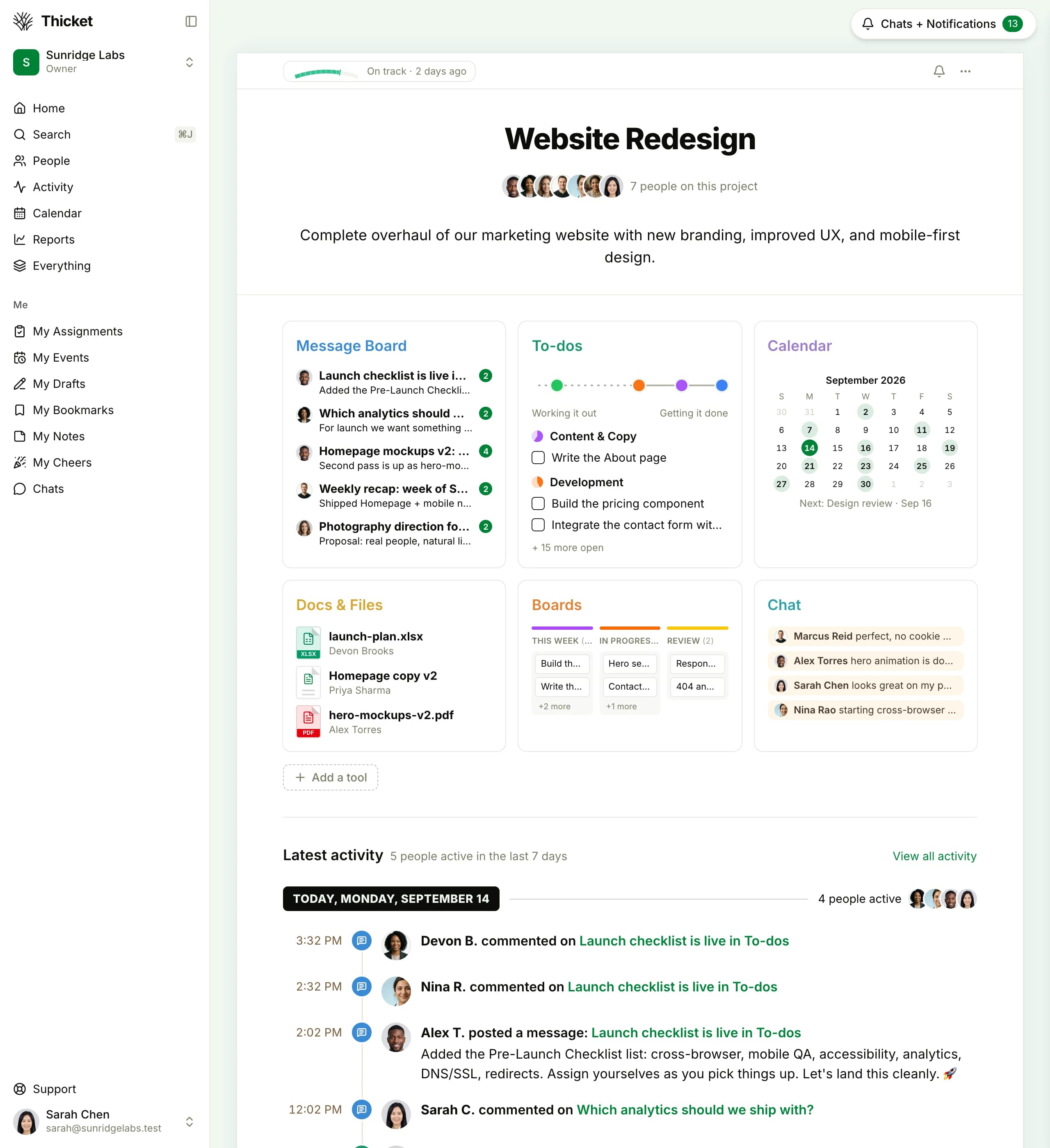
Who's doing what, by when?
To-do lists carry owners, due dates, and progress, so the answer is written down instead of asked in chat.

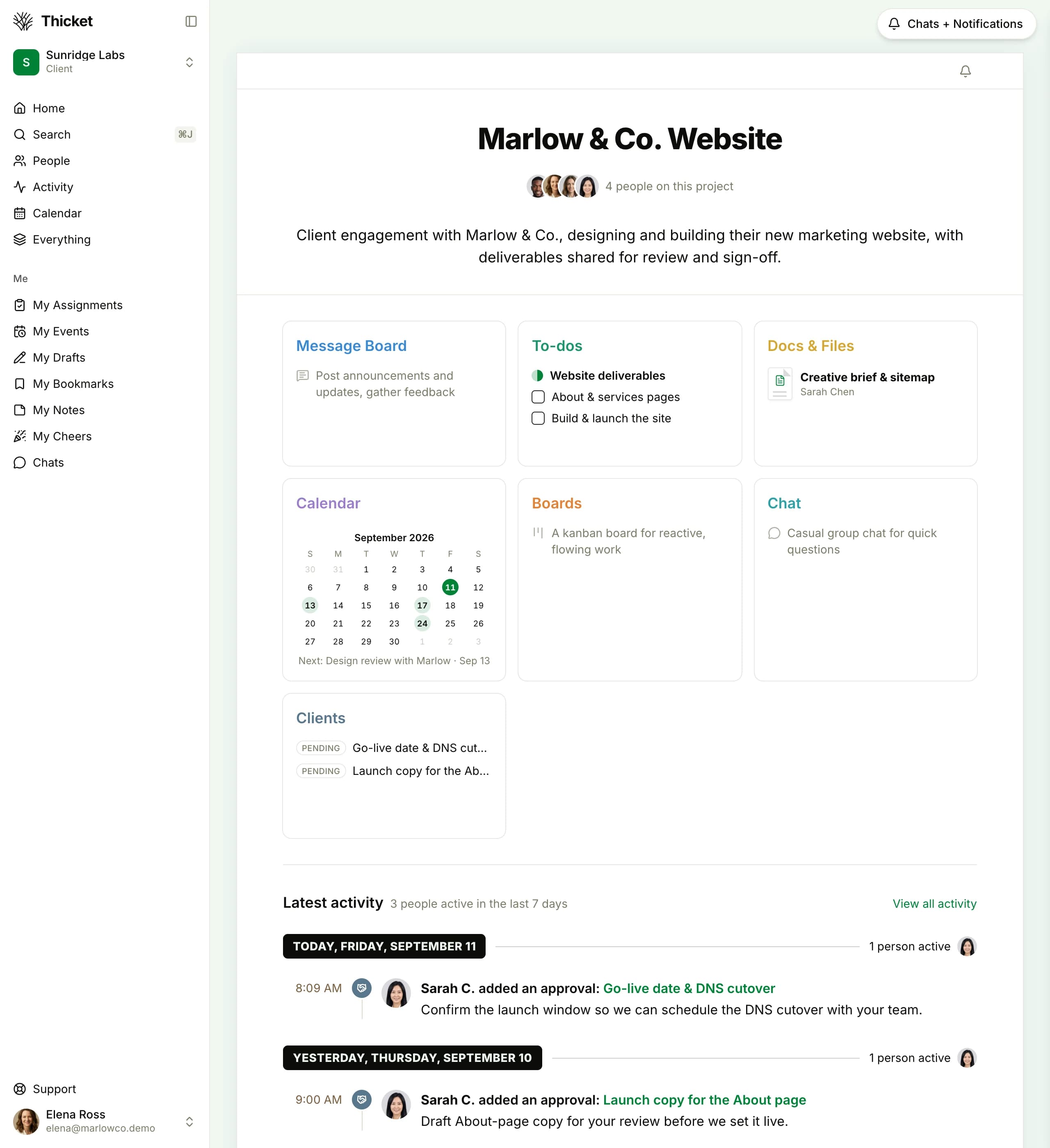
How do we keep the client involved?
Share updates, files, and work for approval. Clients get a scoped view of their own project and nothing else, with feedback and approvals kept with the work.
30 days of Pro. No card required. Keep using Free if you do not subscribe.
Flat plans for your whole team, no per-user fees
Start with one project on Free, run up to three on Starter, or choose unlimited projects on Pro. Every plan includes the whole product.
Prices in USD.
A note from the founder
Hi, I'm Jason. I run Vesperion Gate, the small company that makes Thicket, and we run the company on it: product work, design, and company plans, every working day.
We built Thicket to keep a team's work organized: the plan, the discussion, and the files for every project in one place, and everyone clear on who's doing what and by when. It's simple enough that nobody has to become its administrator.
Pricing is flat for the whole organization, not per user, and we have no plans to sell Thicket. Vesperion Gate is private, profitable, and funded by its products.
If you have a question, or want help setting up your team, email support@thickethq.com. For anything else, including feedback on Thicket, you can write to me directly at jason@thickethq.com.
Jason
Founder
See how people use Thicket
Explore ways to organize client work, coordinate a launch, and keep shared tasks on track.
Frequently asked questions
What Thicket is, what the plans cost, where it runs, and how client access and chat work.
Start with work you need to organize
Create a project for a client job, a launch, or your ongoing work. Add the next to-dos and invite the people doing them.
30 days of Pro. No card required. Keep using Free if you do not subscribe.