For creative, marketing, and digital agencies
Project Management Software for Creative and Marketing Agencies
One project per client, holding that engagement's brief, to-dos, schedule, review thread, and sign-offs. Clients and freelancers are included in one flat price.
Flat plans from $25/month. Pro is $49/month for unlimited people and projects.
Free plan. No card required. Includes a 30-day Pro trial.
Which project management software should an agency use?
One that keeps each client engagement in one place (the brief, the to-do lists, the schedule, the review thread, and the approvals), with the client able to see their project and nothing else. Thicket does that with six tools in every project plus client access, at $49/month for unlimited people. Adding a freelancer for a launch or giving a client's team access to review work does not change the bill.
People at digital agencies have created Thicket workspaces. Explore project examples across industries.
One project per engagement
Each client gets a project with the same six tools. Templates give every new engagement the same starting structure.
Clients and freelancers included
One people pool on every plan: 20 on Free and Starter, unlimited on Pro. No guest tier, no per-person charge.
Flat plans from $25
Starter is $25/month for 3 active projects. Pro is $49/month for unlimited projects, or $39/month billed annually.
The client-access mechanics, step by step, are on the client project management page. This page covers how an agency runs its roster on Thicket and what it pays.
Every engagement is one project
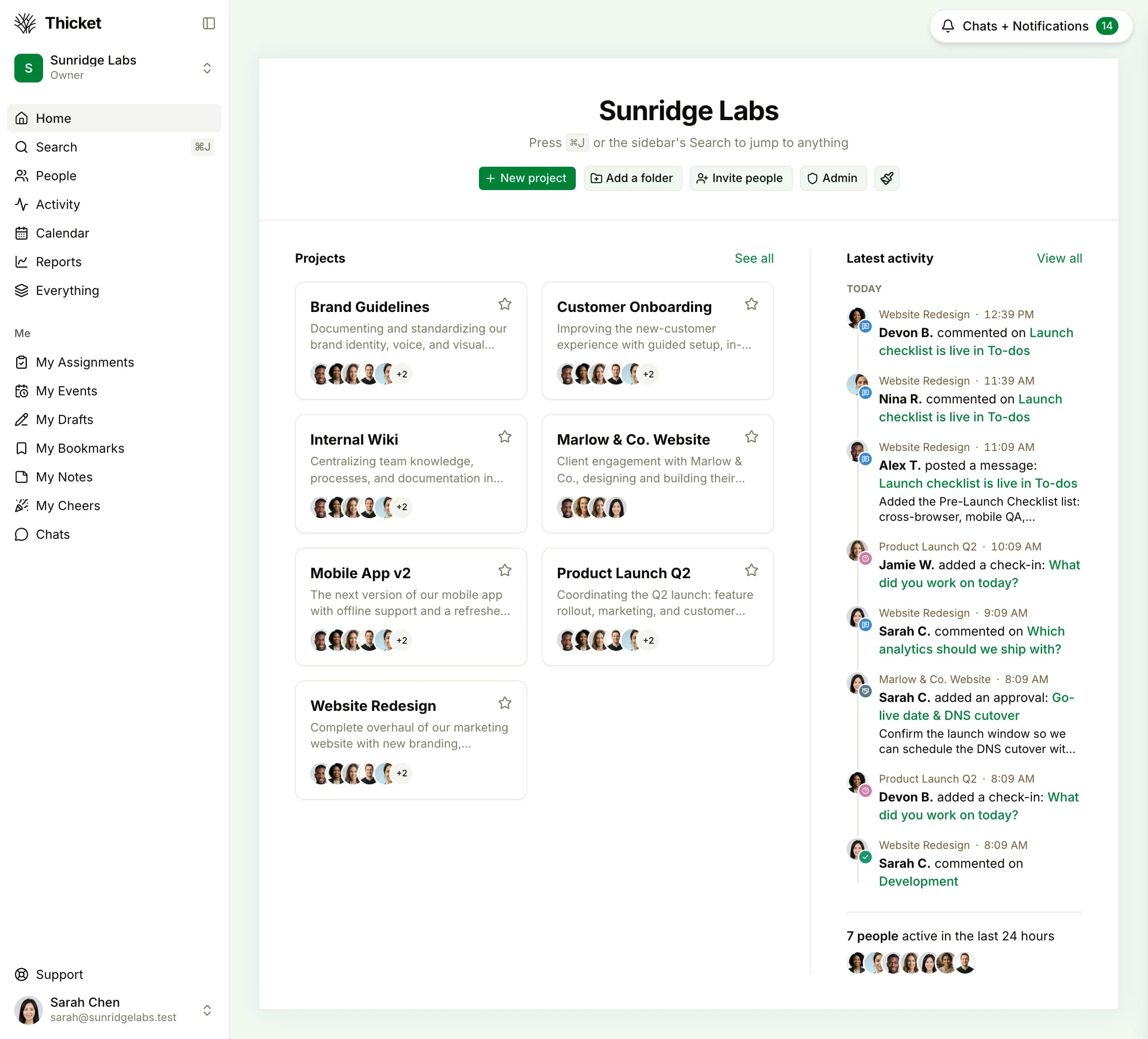
The workspace home lists every project with its people, and the latest activity across all of them underneath. A client engagement sits beside the agency's internal projects, with only the people who belong on it.
Quick facts
Agency project management software, in one screen
Thicket is flat-rate project management for creative, marketing, and digital agencies. Each client engagement is a project with six tools, client access with approvals, and automatic check-ins, and the price does not change with headcount.
- Price
- Starter $25/mo (3 projects). Pro $49/mo flat, or $39/mo annual, unlimited people and projects
- Free plan
- 1 project, 20 people including clients, 1 GB, no card
- Clients and freelancers
- Counted in the same people pool as the team on every plan. No guest tier, no per-seat charge.
- Who it fits
- Agencies running several client engagements at once
- Six tools per project: message board, to-dos, docs & files, schedule, boards, chat
- Client access with approvals: per-item visibility, sign-off recorded with name, date, and status
- Automatic check-ins, project templates, project health, @-mentions
How an agency runs client work in Thicket
Five steps, using only what ships in every project.
- 1
Create one project per client
Start each engagement from a project template so the to-do lists, the docs folder, and the schedule are already in place. The projects grid becomes the client roster.
- 2
Put the brief and the assets in the project
Docs hold the brief, the statement of work, and the brand guide. Files hold the source assets. The team and the client read the same version.
- 3
Turn on client access
On the project's People page, switch on Work with clients and invite the client contact. Mark which to-dos, docs, and messages they can see. Everything else stays internal.
- 4
Collect sign-off with approvals
Share a deliverable for approval. The client approves or declines it, and the decision sits in the project with the approver's name, the due date, and the status.
- 5
Replace the status meeting with a check-in
A recurring question, such as What did you ship this week?, goes out on a schedule and collects the answers in one thread per engagement.
Everything for one client, in one project
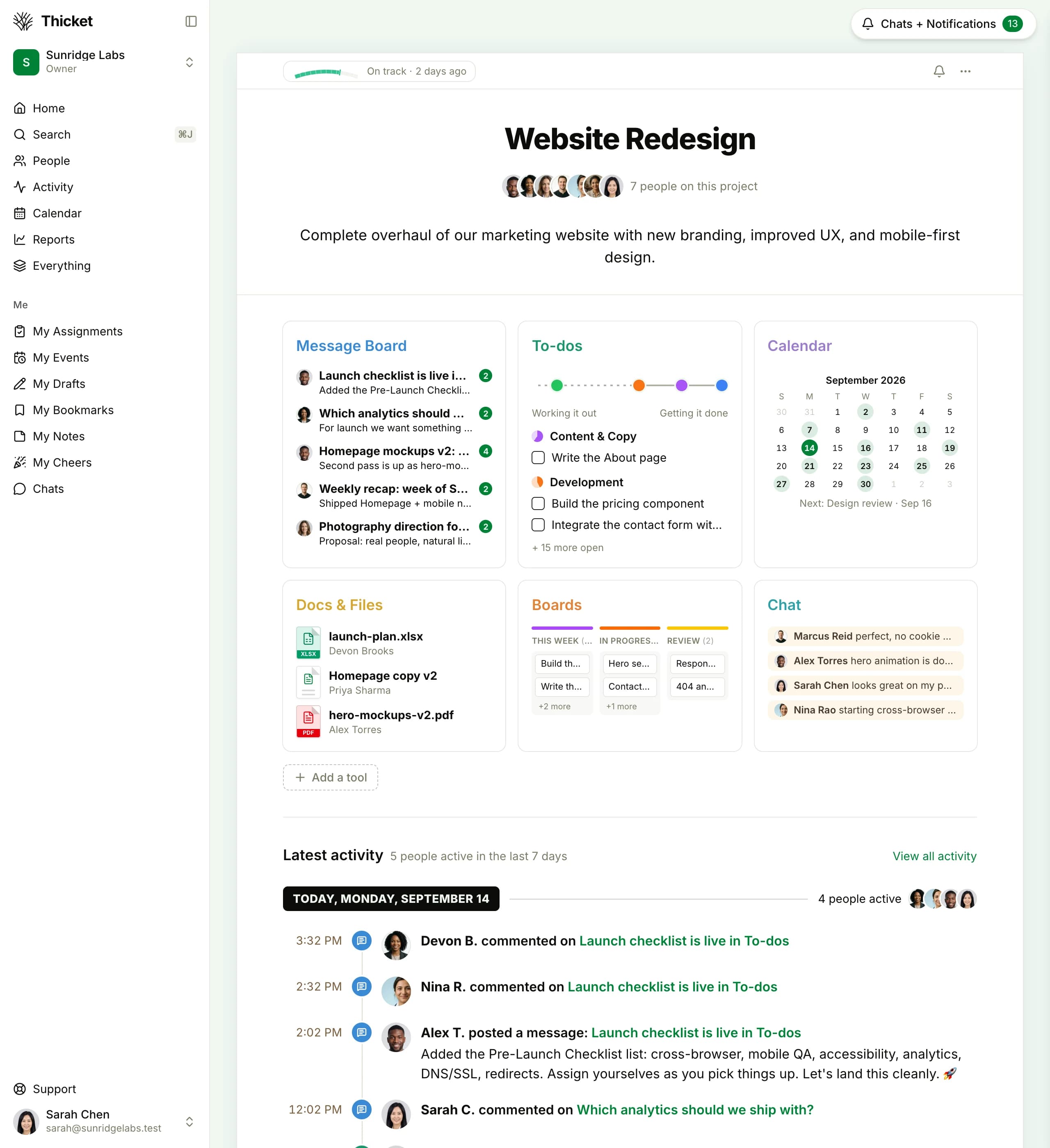
The message board, to-dos, docs and files, calendar, board, and chat for that engagement, with the project's health badge at the top, instead of tasks in one app, files in another, and the client review thread in email.
Six tools, the same in every project
Every client project starts with the same six tools.
Plus client access with approvals, automatic check-ins, project templates, project health, and @-mentions, on every plan.
Monthly cost for a 5-, 10-, 15-, or 20-person agency
Team members only, on monthly billing, each vendor's entry paid tier against Thicket Pro. Per-seat vendors have their own rules for client and guest access; on Thicket, clients and freelancers are in the same pool as the team.
| People | Thicket Proflat | Monday.com Standard$14/user | Asana Starter$13.49/user | ClickUp Unlimited$10/user | Teamwork.com Basics$13.99/user, derived |
|---|---|---|---|---|---|
| 5 people | $49/mo | $70/mo | $67.45/mo | $50/mo | $69.95/mo |
| 10 people | $49/mo | $140/mo | $134.90/mo | $100/mo | $139.90/mo |
| 15 people | $49/mo | $210/mo | $202.35/mo | $150/mo | $209.85/mo |
| 20 people | $49/mo | $280/mo | $269.80/mo | $200/mo | $279.80/mo |
Prices in USD, monthly billing, from each vendor's public pricing page: Monday.com verified August 2026, Asana verified August 2026, ClickUp verified August 2026, Teamwork.com verified September 2026. Monday.com plans start at 3 seats. Teamwork.com publishes only annual rates; its monthly figure is derived from the published 29% annual discount. Annual billing lowers every rate here, including Thicket's ($39/month).
One flat price as the roster grows
From 5 people up, Thicket Pro is the lower monthly bill against all four. At 15 people the gap is $101 to $161 a month, or $1,212 to $1,932 a year, before counting any client or freelancer a per-seat vendor bills as a seat.
Two or three active clients? Starter is $25/month for 3 active projects and 20 people.
What Thicket gives an agency
Run one engagement in Thicket for a week
Create a project for one client, invite the people on it, put the brief in docs, and share one deliverable for approval. That is enough to tell whether the shape fits your agency.
Free plan. No card required. Includes a 30-day Pro trial.
$49/month flat on Pro: unlimited projects, people, clients, and freelancers
Six tools per project, client access with approvals, automatic check-ins
Free plan: 1 project, 20 people including clients
30-day Pro trial, no credit card required
Questions agencies ask before switching
Is Thicket a fit for a creative, marketing, or digital agency?
It fits an agency that wants each client engagement kept in one place: the brief in docs, the work in to-do lists with owners and dates, dates on the schedule, the review thread on the message board, and sign-off through client approvals. Every project has the same six tools, plus client access, automatic check-ins, and templates.
How does an agency organize client work in Thicket?
One project per client engagement. A project template gives every new engagement the same starting structure (for example Discovery, Design, Build, Launch as to-do lists), so a new account manager finds the same shape in every project. The projects grid on the workspace home shows every engagement with its people and recent activity, and each project shows a health badge (on track, at risk, off track) at the top.
Do clients and freelancers cost extra?
No. Every Thicket plan counts clients and contractors in the same people pool as the team: 20 people on Free and Starter, unlimited on Pro. There is no guest tier and no per-person charge. A client sees only the project they were invited to, and within it only the items you mark as visible to them.
Can clients approve work in Thicket?
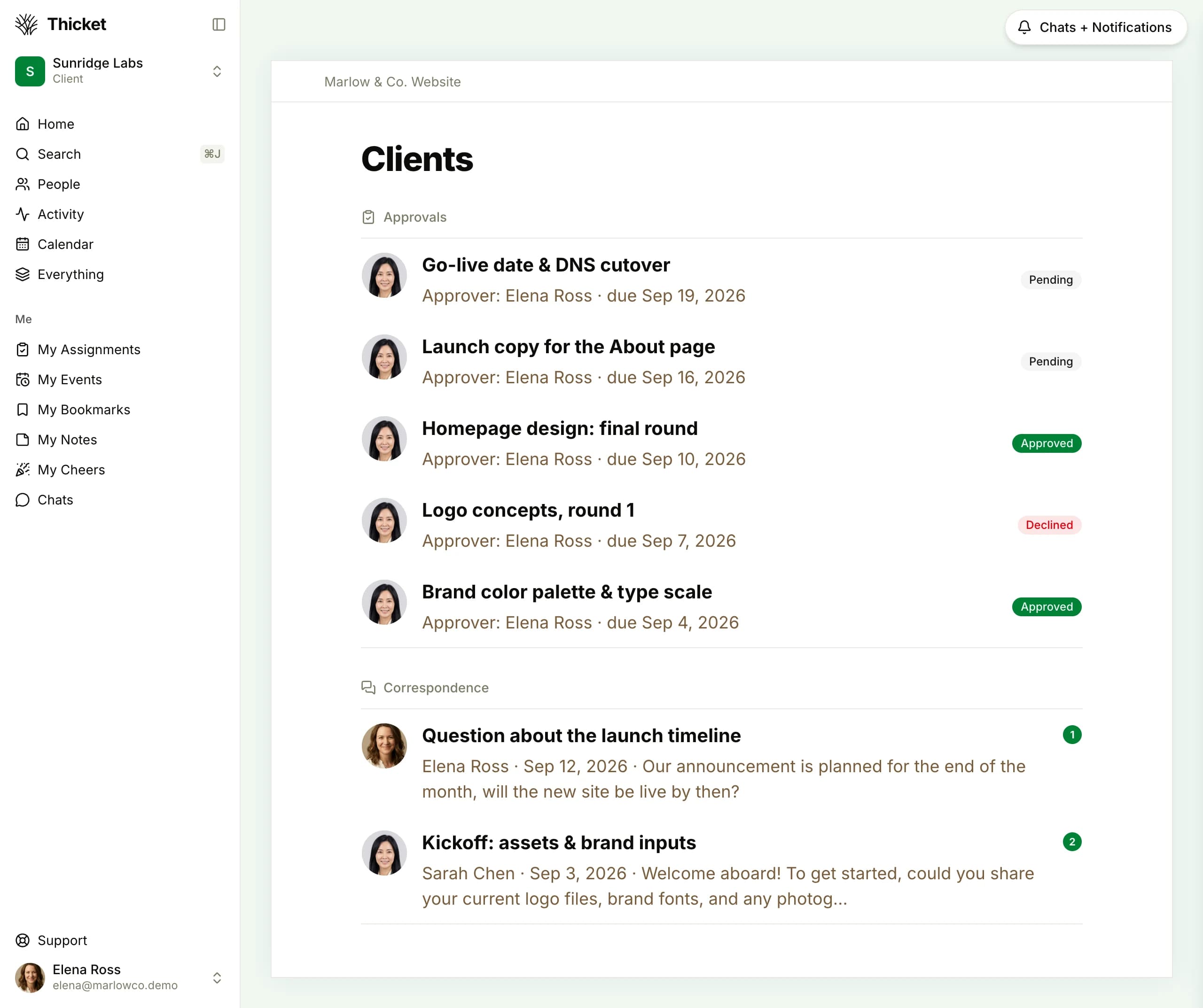
Yes. Share a deliverable for approval from inside the client's project. The client approves or declines it, and the decision is recorded with the approver's name, the due date, and the status (pending, approved, or declined). Client-facing correspondence lives in the same Clients tool, separate from the team's internal message board.
What does Thicket cost for a 10-person agency?
Thicket Pro is $49/month for unlimited people and projects, or $39/month billed annually ($468/year). On monthly billing, 10 people on each vendor's entry paid tier cost: Monday.com Standard $140, Asana Starter $134.90, ClickUp Unlimited $100, Teamwork.com Basics $139.90 (derived). An agency with two or three active clients can start on Starter at $25/month for 3 active projects and 20 people.
Can we keep internal discussion away from clients?
Yes. Client access is a per-project switch, and within a client's project every item carries its own visibility, so internal to-dos, docs, and messages stay internal unless you mark them visible. For work clients should never see (hiring, finance, pipeline reviews), use projects you never invite a client to.
Is there a free plan?
Yes. Free is 1 project, 20 people (clients included), and 1 GB of storage, with no card and no expiry. Starter is $25/month for 3 active projects. Pro is $49/month for unlimited projects and people, and every workspace created on thickethq.com gets a 30-day Pro trial.
Run every client engagement in one place
$49/month flat for unlimited people and projects, clients and freelancers included. Start with one client project on the free plan.
Free plan. No card required. Includes a 30-day Pro trial.