
Thicket for Free
See what the Free plan includes, what counts toward its limits, what happens when a trial or paid plan ends, and how to upgrade.
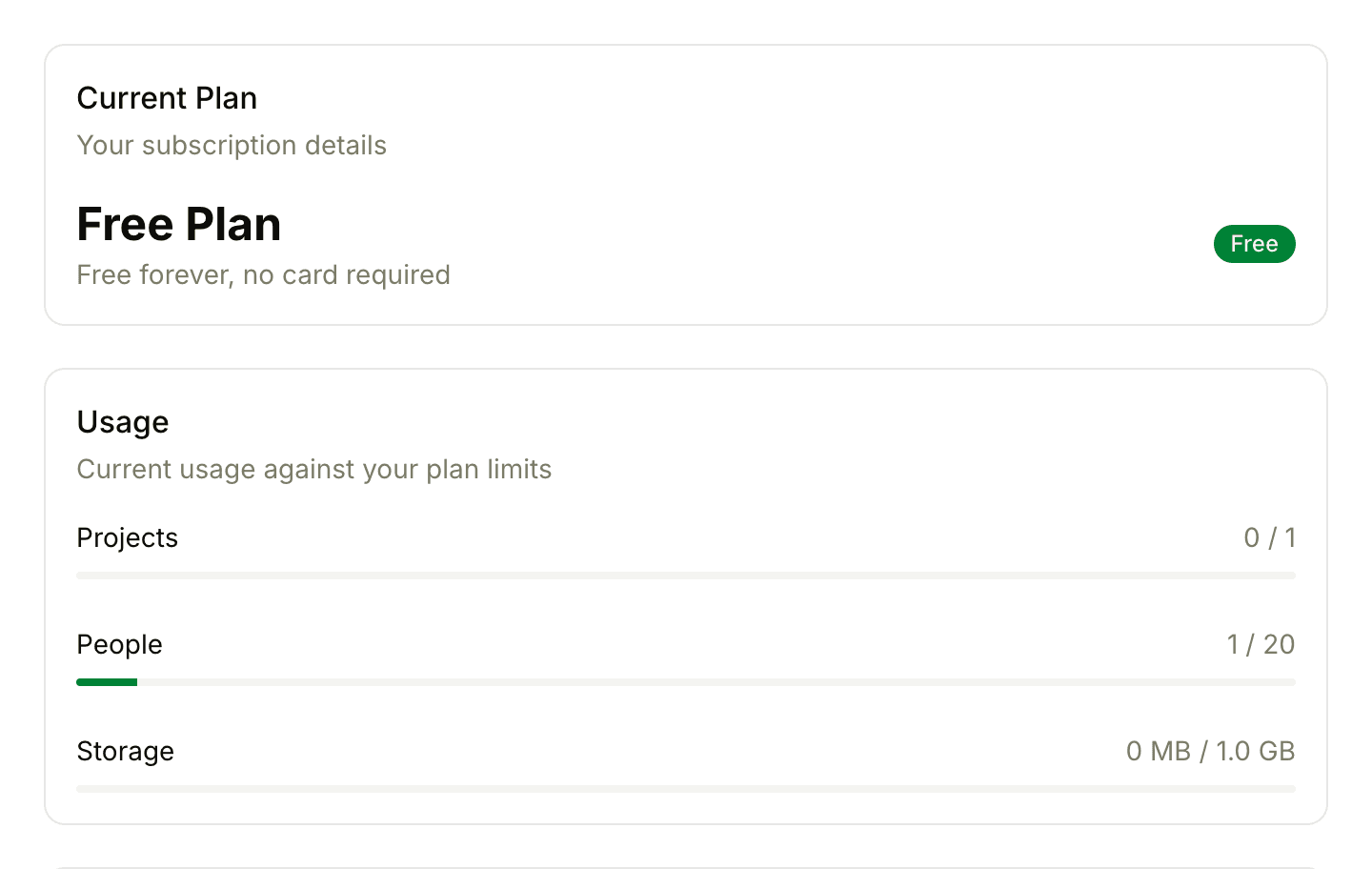
Thicket's Free plan has no end date and needs no card. It holds one active project for a group of up to 20 people, with every project tool included.
What's Included
- 1 active project
- Up to 20 people, clients included
- 1 GB of storage
- 30 days of activity history
- Every project tool
- The API and CLI
What Counts Toward the Limits
- Projects: only active projects count. Archived projects, templates and the sample project that comes with a new account don't.
- People: team members and clients count alike, and so do invitations that haven't been accepted yet. An invitation stops counting once it's declined or expires. AI agents don't count.
- Storage: every file uploaded to the account counts, including files in archived projects and in the trash, until they're permanently deleted. See Managing Storage.
- Activity history: activity feeds, such as Latest activity, show the last 30 days. Older activity isn't deleted: on a paid plan it all shows again.
When You Reach a Limit
Thicket stops the action and says why. Creating a second active project, for example, shows "Your plan includes 1 active project. Archive it or upgrade for more projects." Owners also get a See plans & upgrade link to the billing page, and everyone else is asked to have an account owner upgrade.
When storage is full, new files can't be uploaded until you free up space or upgrade.
Moving to Free from a Trial or Paid Plan
An account moves to Free when its 30-day free trial ends without a subscription, or when a paid subscription ends. Nothing is deleted.
With one active project or none, nothing else changes. With more than one:
- Everything stays readable, but no new work can be added anywhere in the account until the extra projects are dealt with.
- Owners and admins see a Choose which project stays active card at the top of Home. Pick a project and click Keep this project active.
- The other projects are archived, exactly as if you'd archived them yourself. They stay readable, and you can restore them after upgrading.
- Everyone else sees a note that the account moved to a smaller plan and that an owner or admin needs to choose.
Subscribing to a plan that covers all your active projects also lifts the pause.
Upgrading
Owners see "You're using Thicket Free." at the top of Home, with a See upgrade options link. It opens Admin > Billing, where the Choose your plan card offers Starter and Pro. Only owners can upgrade.
Starter is $25 a month for up to 3 active projects and 10 GB of storage. Pro is $49 a month for unlimited projects and people and 50 GB of storage. Billing and Plans has the steps and the yearly prices.
Accounts Created in the iPhone and iPad App
An organization created in the Thicket app for iPhone or iPad starts on the Free plan, with no trial. Organizations created on thickethq.com start with a 30-day free Pro trial and move to Free only if nobody subscribes. Either way, upgrades happen on the web, in Admin > Billing.