Cheers
React to a message, comment, to-do or chat line with an emoji or a few words, and see every cheer you have given and received.
A cheer is a quick reaction: an emoji or a few words you leave on someone's work instead of a reply. It shows you saw the post and liked it, without adding another comment to the thread.
Leaving a cheer
- Click Cheer under the item
- Pick one of the emoji in the row (👍 👏 👋 ❤️ 😂 😊 🎉), or type your own in Your own cheer… and press Enter
Your cheer appears under the item with your photo beside it, next to anyone else's.
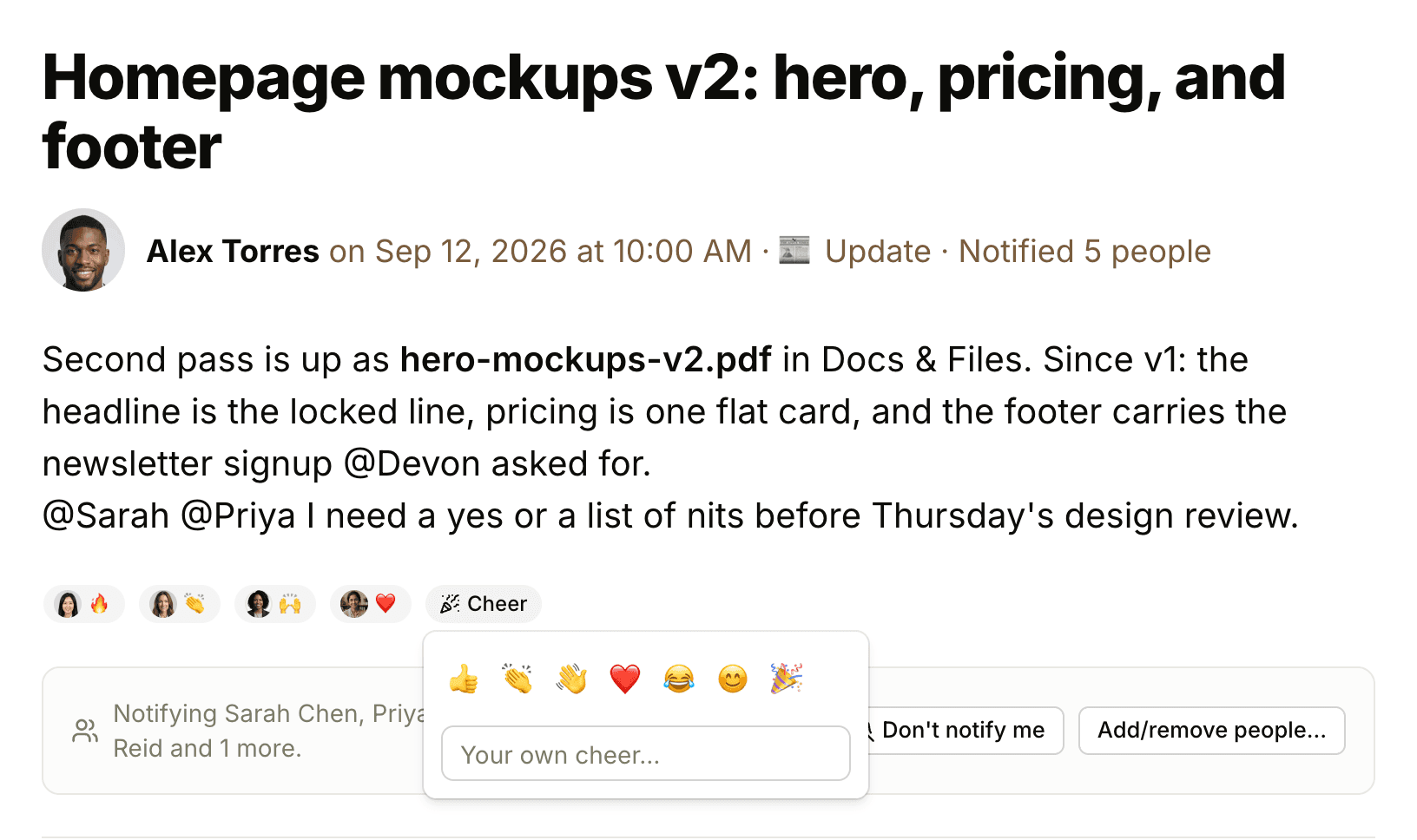
You can cheer messages, comments, docs and files, to-dos, cards, events, check-in answers, and progress and health updates. In chat, hover over a line, click its •••, and pick a cheer from the top of the menu.
A cheer can be up to 16 characters, so a short phrase such as "Nice work!" fits as well as an emoji. You can leave more than one cheer on the same item, as long as each one is different.
Everyone who can see the item sees its cheers. Hover over a cheer to see who left it.
Removing a cheer
Click your own cheer to remove it.
When you can't cheer
- Drafts can't be cheered until they're published (see Drafts and Scheduled Posts)
- When comments are closed on an item, new cheers are off too, for the item and its comments. The cheers already there stay (see Comments and References)
Cheering a change
An item's change log lists what happened to it, such as someone completing a to-do. Each entry has its own Cheer button, so you can cheer the moment of finishing. Open the change log from the item's ••• menu with View change log.
Seeing your cheers
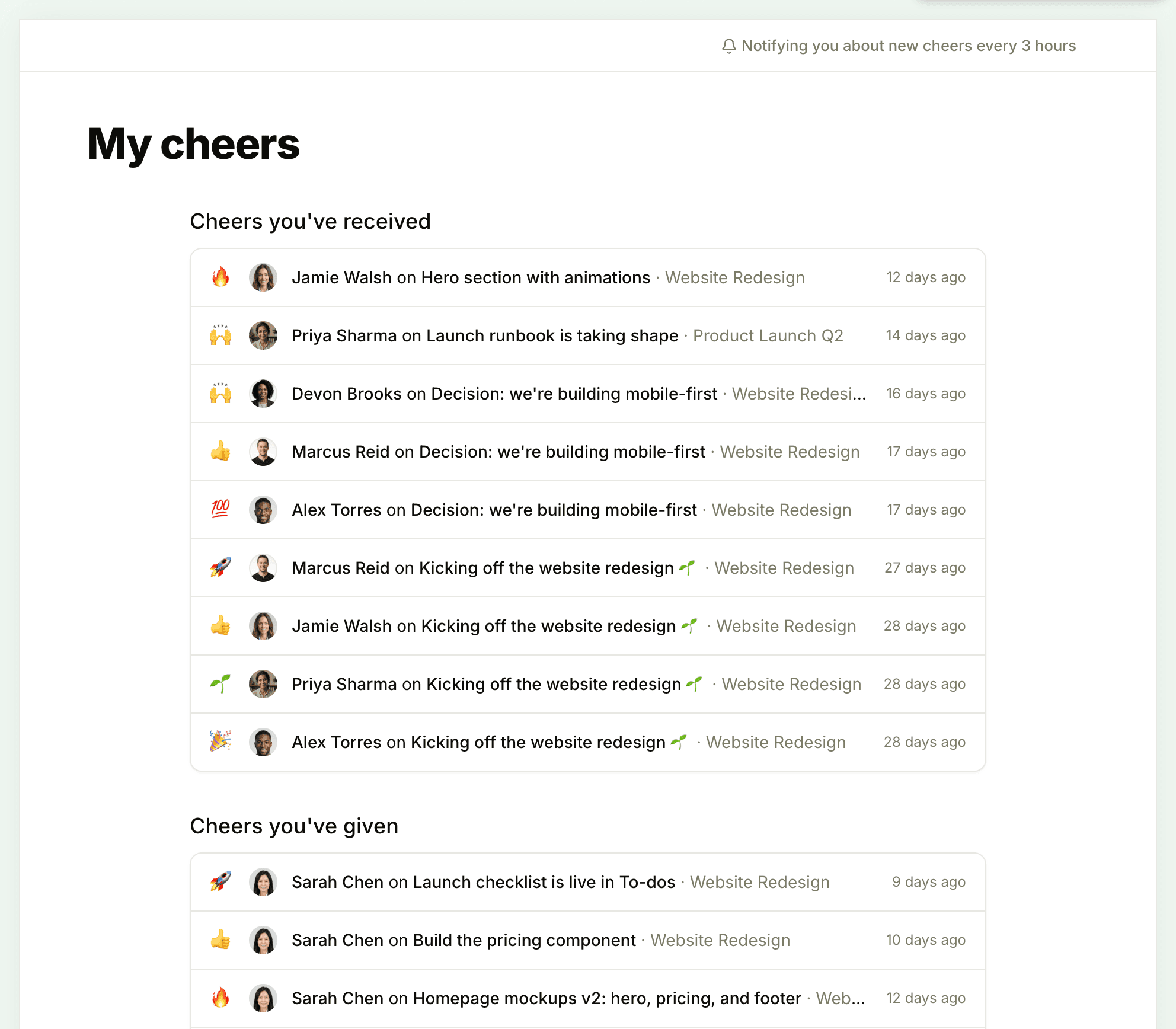
Click My Cheers in the sidebar, or press Shift+O. The page has two lists, Cheers you've received and Cheers you've given, each showing the cheer, who left it, the item and project, and when. Click a row to open the item.
Notifications about cheers
When someone cheers your work, you get a notification in Chats + Notifications. Cheers aren't emailed. While a cheer notification is unread, more cheers on the same item within three hours are added to it instead of arriving one by one. Cheering your own work doesn't notify you.
To turn these notifications off, open My Cheers and click Notifying you about new cheers every 3 hours at the top of the page. It changes to Notify me about new cheers. Click it again to turn them back on. This switch only affects cheers. For your other notifications, see Notification Settings.