
Project Health
Turn on project health to show at a glance whether a project is on track, post updates with a note, and see every project in one report.
Project health is a gauge at the top of a project that shows how it's going: On track, At risk, or Off track, and how far along it is. Someone on the team moves the needle with a short update, and every update is kept, so anyone can see how the project got where it is.
Turning project health on
Project health is off until an owner or admin turns it on for a project:
- Open the project, click ••• at the top right, and choose Project settings
- Under Project health, turn on Indicate progress
The gauge then appears in the bar at the top of the project's page, with the current status and when it was last updated. Until someone posts the first update, it reads Update health.
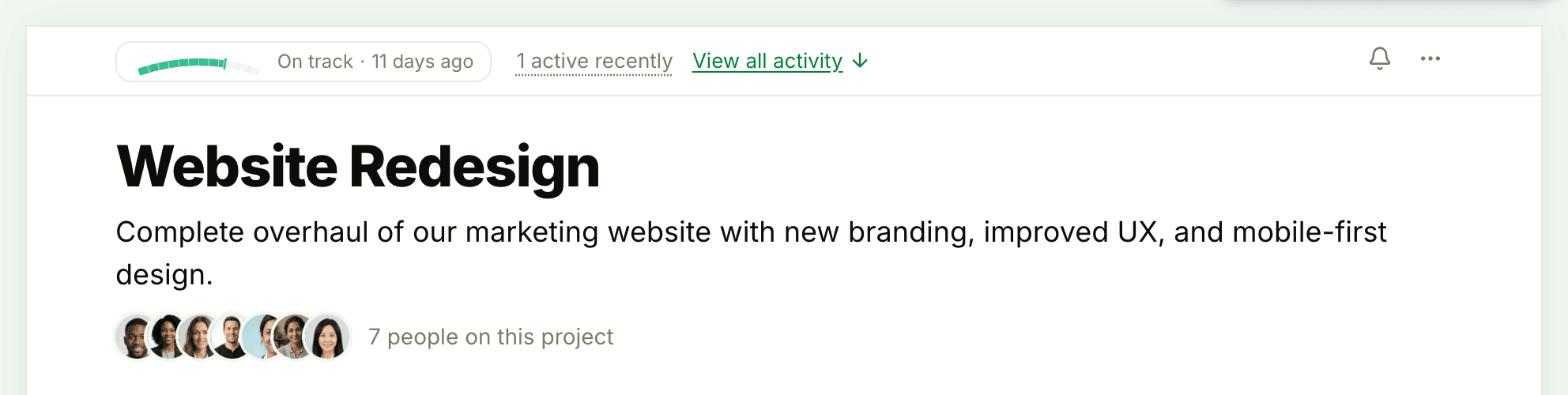
Turning Indicate progress off hides the gauge and takes the project out of the health report. The updates already posted aren't deleted.
Updating health
- Click the gauge at the top of the project to open Project health
- Click Update health
- Under How far along is this project?, drag the slider between 0% and 100%. The gauge above it shows the result as you go
- Under How's the project going?, choose On track, At risk, or Off track
- In Describe why you moved the needle, add a note, if you like
- If the project works with clients, tick Share this update with clients to let them see it. Health updates stay hidden from clients unless you do
- Under When this posts, notify…, choose who to tell, then click Save
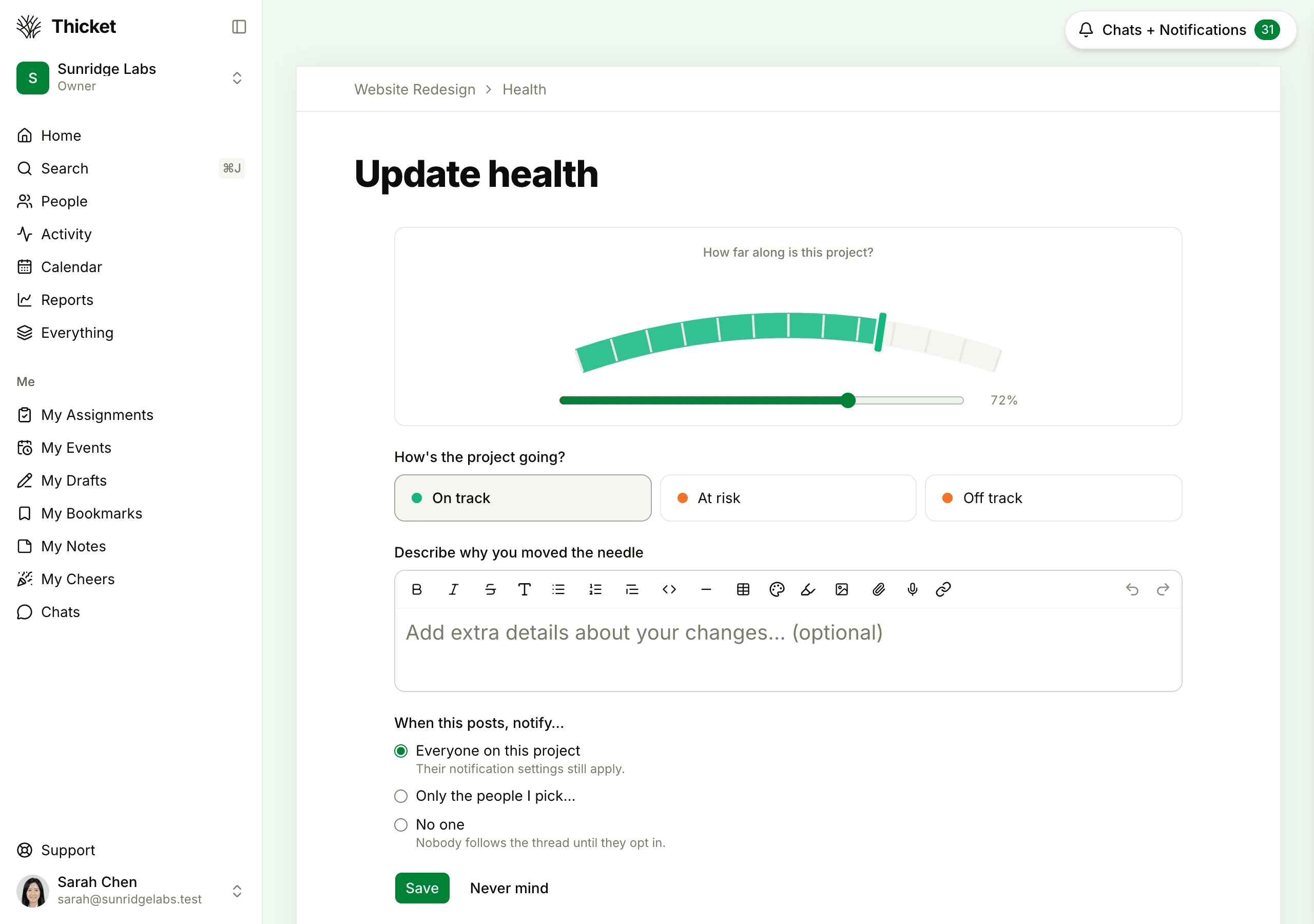
A new update starts from where the needle stands now, so you only change what's different. Anyone on the team with access to the project can post an update. Clients can't.
The history of updates
The Project health page lists every update, newest first. Each shows who posted it and when, the gauge, with a small mark where the needle stood before, the status, and the note. Click Discuss (or the comment count, once there are comments) to comment on an update, or Cheer to cheer it.
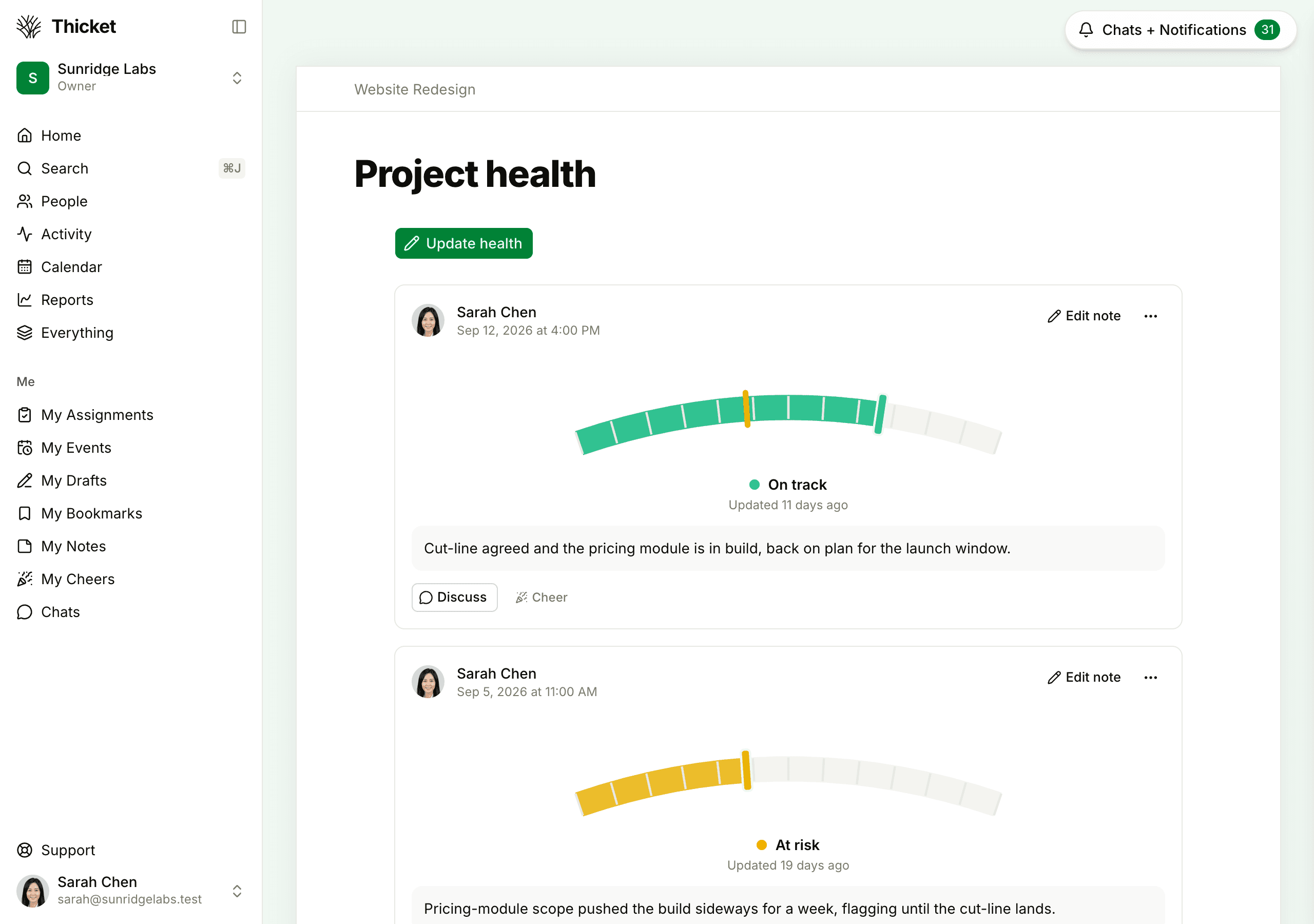
An update's position and status can't be changed after it's posted, but the person who posted it can click Edit note to fix the note. To correct a reading, post a new update, or put the wrong one in the trash from its ••• menu. The gauge then goes back to the update before it.
What clients see
Clients don't see the gauge at the top of a project, and they only see the health updates that were shared with them. For more, see What Clients Can See and Do.
Health across projects
Reports > Project health shows the gauge of every project that has project health turned on and at least one update, with who updated it and when, most recently updated first. Click a gauge to open that project's history. It's for your team; clients can't open it. See Reports.