Latest Activity
Follow what is happening across your projects in one feed, filter it by project, person, or keyword, and get a daily summary by email.
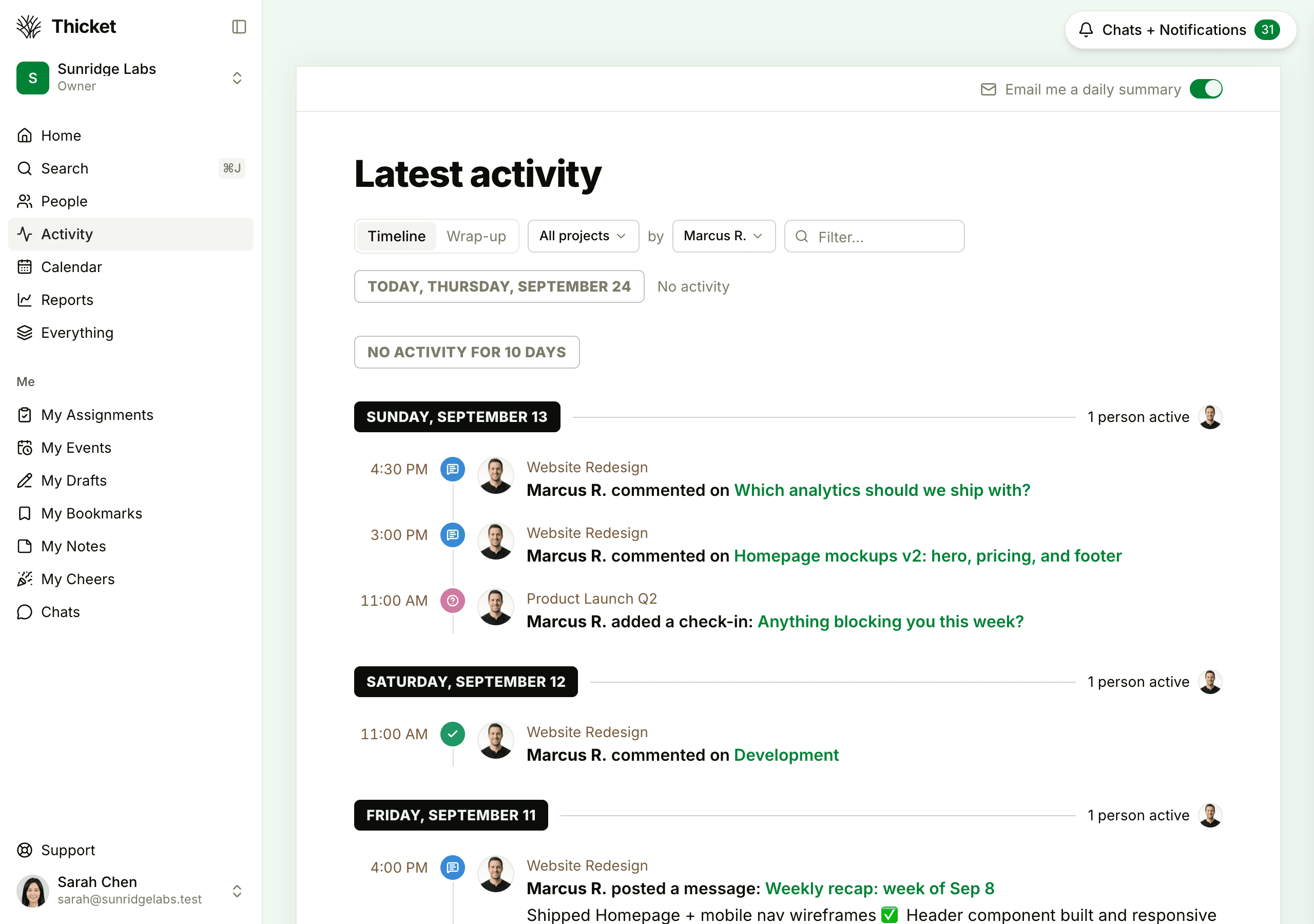
The Activity page shows what's been happening across all your projects, newest first: messages and comments, to-dos and cards added and completed, docs and files, check-ins, events, and more. Open it from Activity in the sidebar, or press 1 anywhere in Thicket.
Timeline and Wrap-up
Switch between two views at the top of the page:
- Timeline: each day under its own date, with the time of each entry on the left, who did what, the project, and a preview. The top of each day shows how many people were active. A day with nothing shows "No activity", and a longer quiet stretch folds into one line, such as "No activity for 6 days".
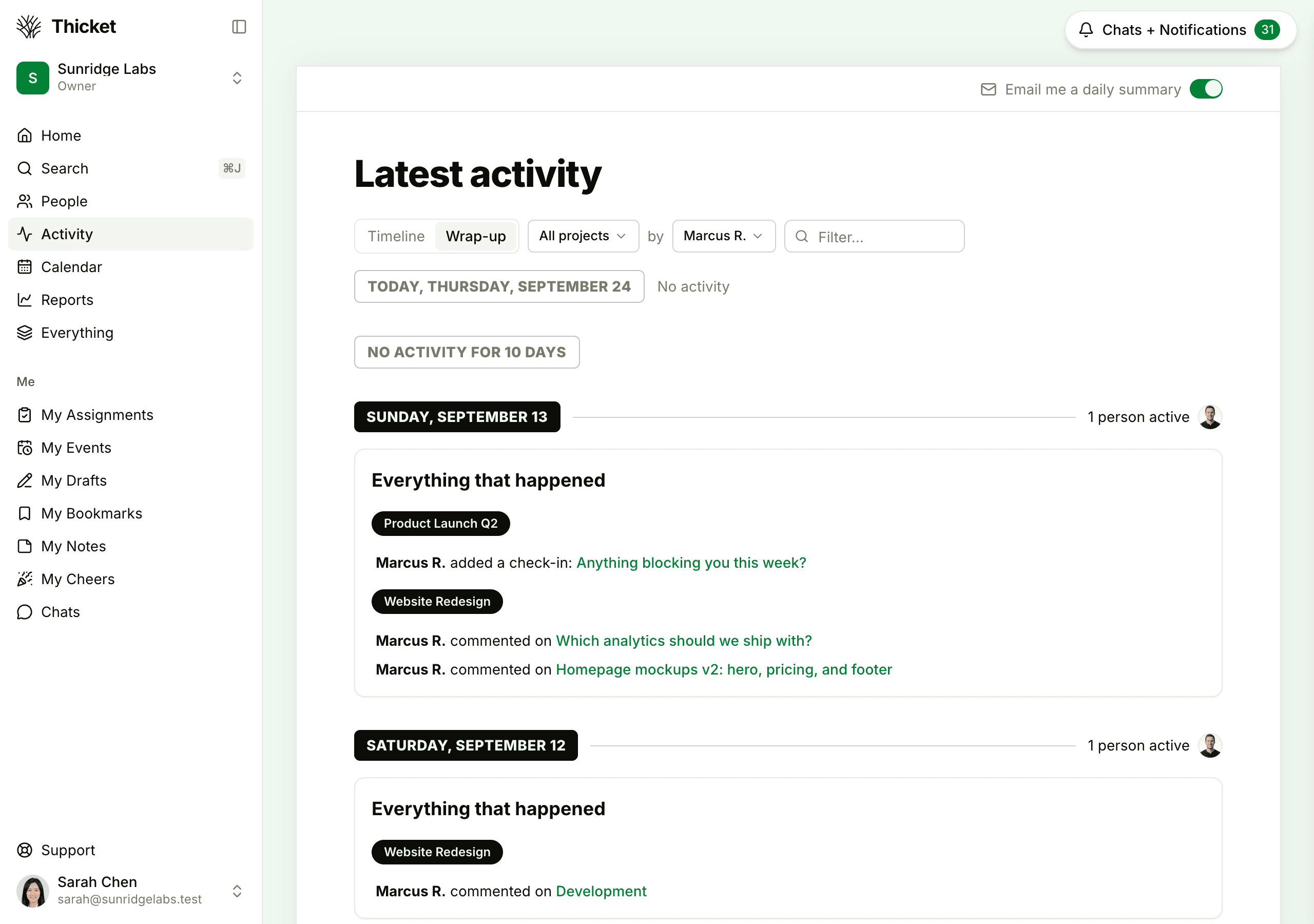
- Wrap-up: one summary per day, Everything that happened, grouped by project, with your starred projects first.
Thicket remembers the view you picked. Older activity keeps loading as you scroll down. Click any item to open it.
Filtering the feed
The controls at the top narrow the feed, and the page updates as soon as you change them:
- All projects: choose one project, or Starred projects for the projects you've starred
- by Everyone: choose one person, or Me for your own activity. Clients don't have this menu.
- Filter…: type a word to show only the entries that mention it, with the word highlighted. Press Shift+F to jump to this box.
Press Shift+Y anywhere in Thicket to see just your own activity. The page is then titled Your activity.
Other places to see activity
- Home: the Latest activity column shows the most recent entries. View all opens this page.
- A project: the bottom of each project's page shows its latest activity. View all activity opens the full history of that project, with its own Filter… box.
- One person: Reports > Someone's activity shows everything one person has done across your projects. See Reports.
The daily summary email
Turn on Email me a daily summary at the top right of the Activity page to get one email each morning with everything that happened since 7 AM the day before. Activity from your starred projects comes first. It arrives between 7 and 10 AM in your time zone, covers every Thicket account you belong to, and isn't sent on a morning with nothing new. Turn the switch off to stop it. For your other emails, see Notification Settings.
What the feed includes
- Activity from the projects you can see: the ones you're on, and projects open to everyone. Clients see only activity on items shared with them.
- Items in the trash drop out of the feed, and come back if they're restored.
- The sample project Thicket adds to new accounts stays out of the feed unless you choose it from the projects menu.
- On the Free plan, the feed goes back 30 days. The Starter and Pro plans keep your full history. See Thicket for Free.